9.8 THE SETUP MENU
9. PATTERNS, KITS, PRESETS, AND SAMPLES > 9.8 THE SETUP MENU · PDF p. 36–40 · OS 1.17
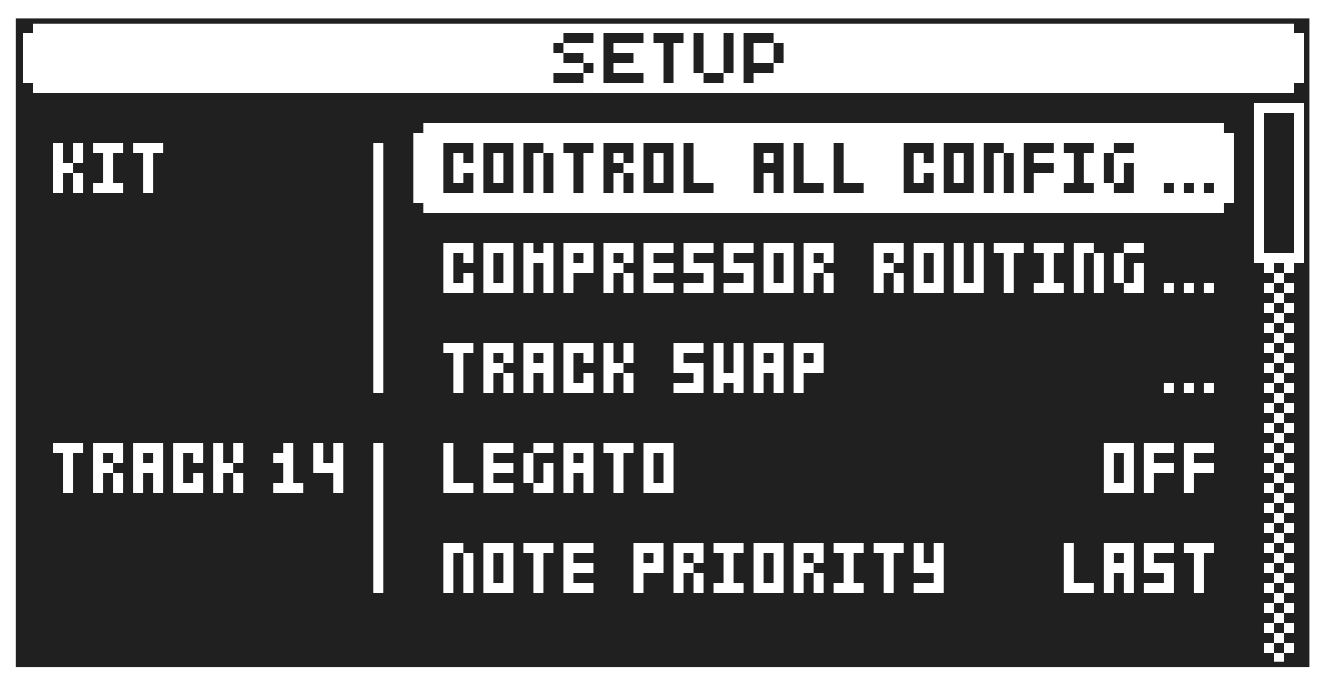
Press [FUNC] + [FLTR] to open the SETUP menu. Here you can set a number of track and kit related parameters. Use the [UP] and [DOWN] arrow keys to move between the options. Press [YES] to confirm your selection. Press [NO] to exit the menu.
9.8.1 KIT
Here you can select which tracks that should be affected by control all and set up the track routing to the compressor.
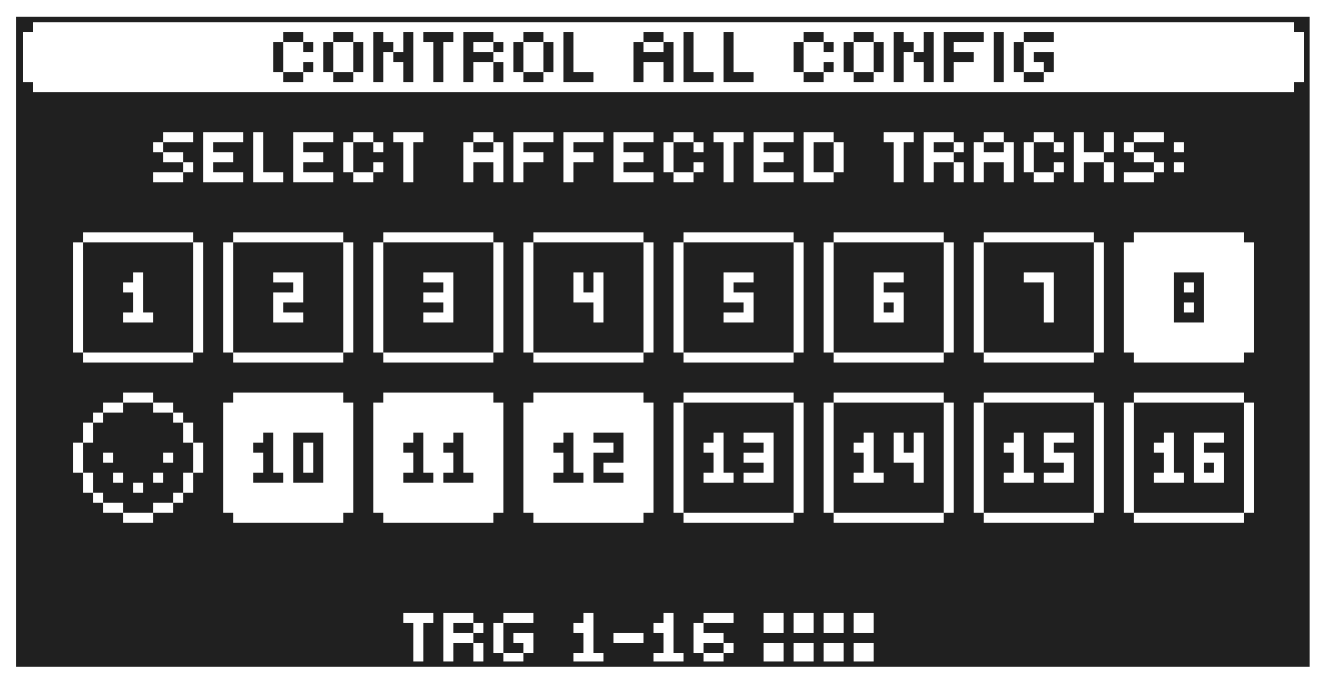
CONTROL ALL CONFIG
Use the [TRIG] keys to select which tracks that you want to send to be affected by the control all functionality. MIDI tracks can not be selected. For more information, please see “6.2.2 CONTROL ALL” on page 19.
- Control all operations also affects the active track, whether it is selected to be affected or not.
- The control all functionality is not available for the MIDI tracks.
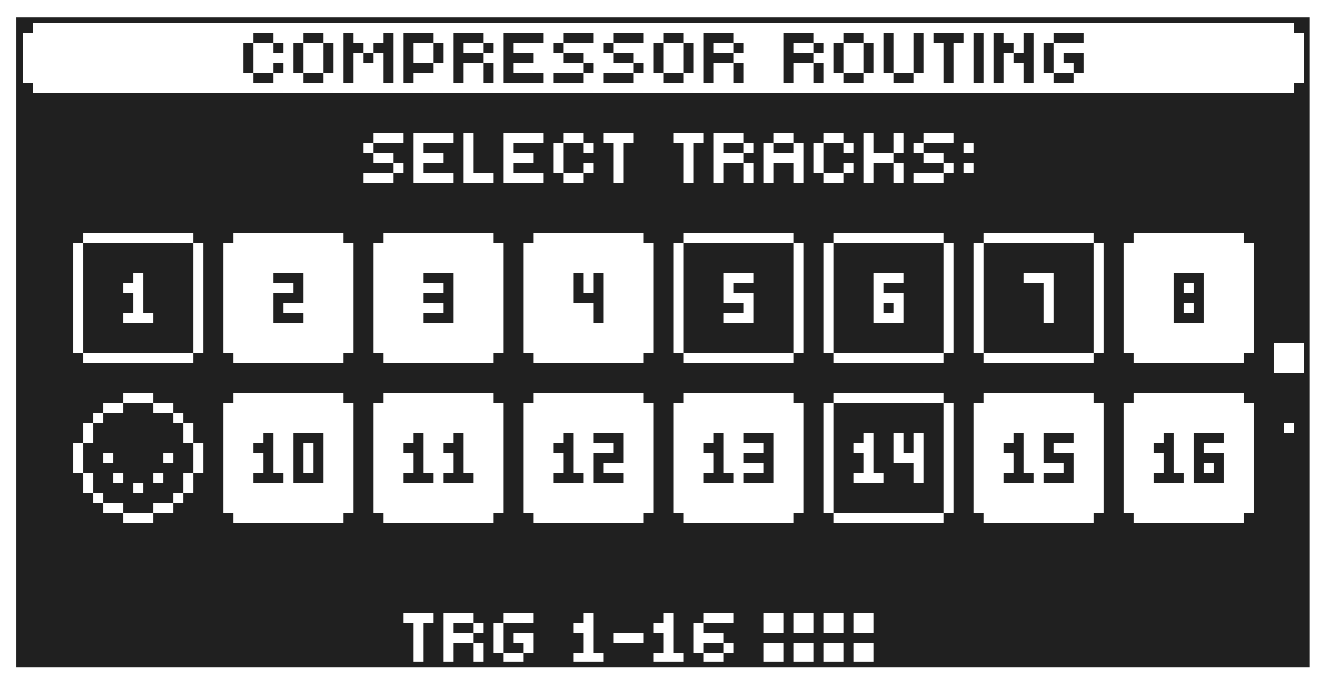
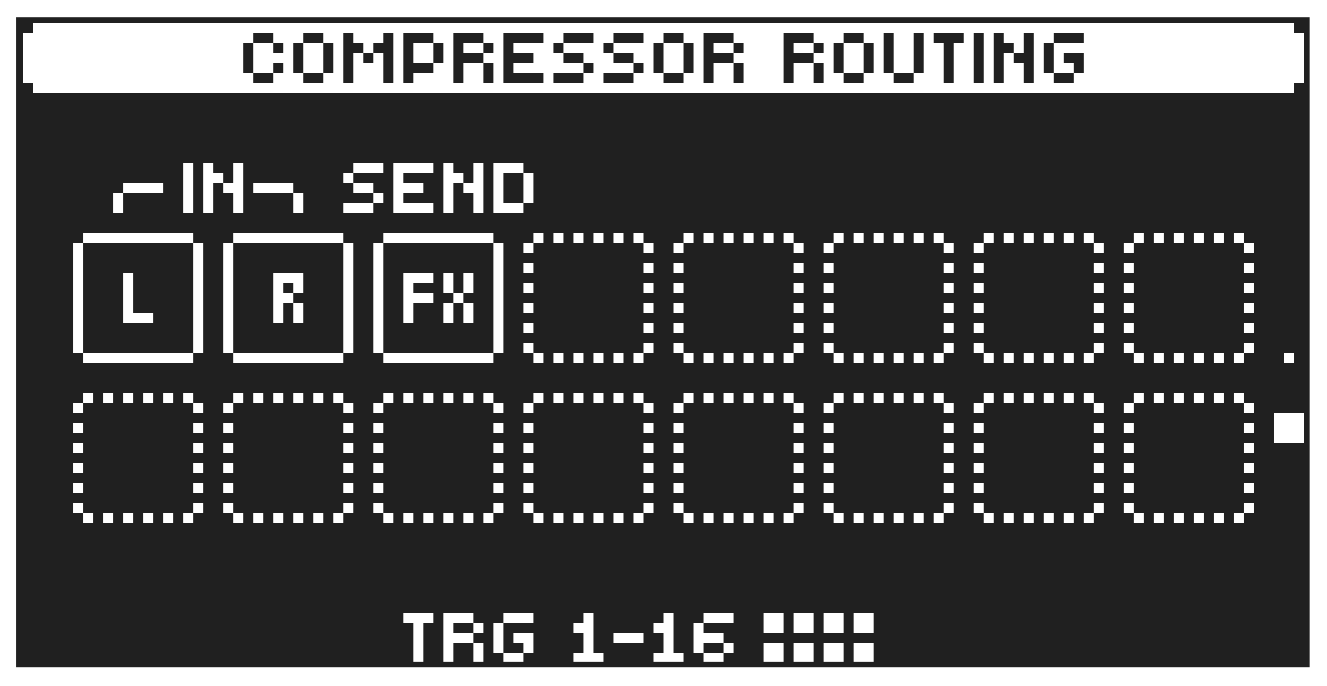
COMPRESSOR ROUTING
Use the [TRIG] keys to select which tracks, inputs and effects that you want to send to be affected by the compressor. MIDI tracks can not be selected. Use the [UP]/[DOWN] to navigate between the two pages.
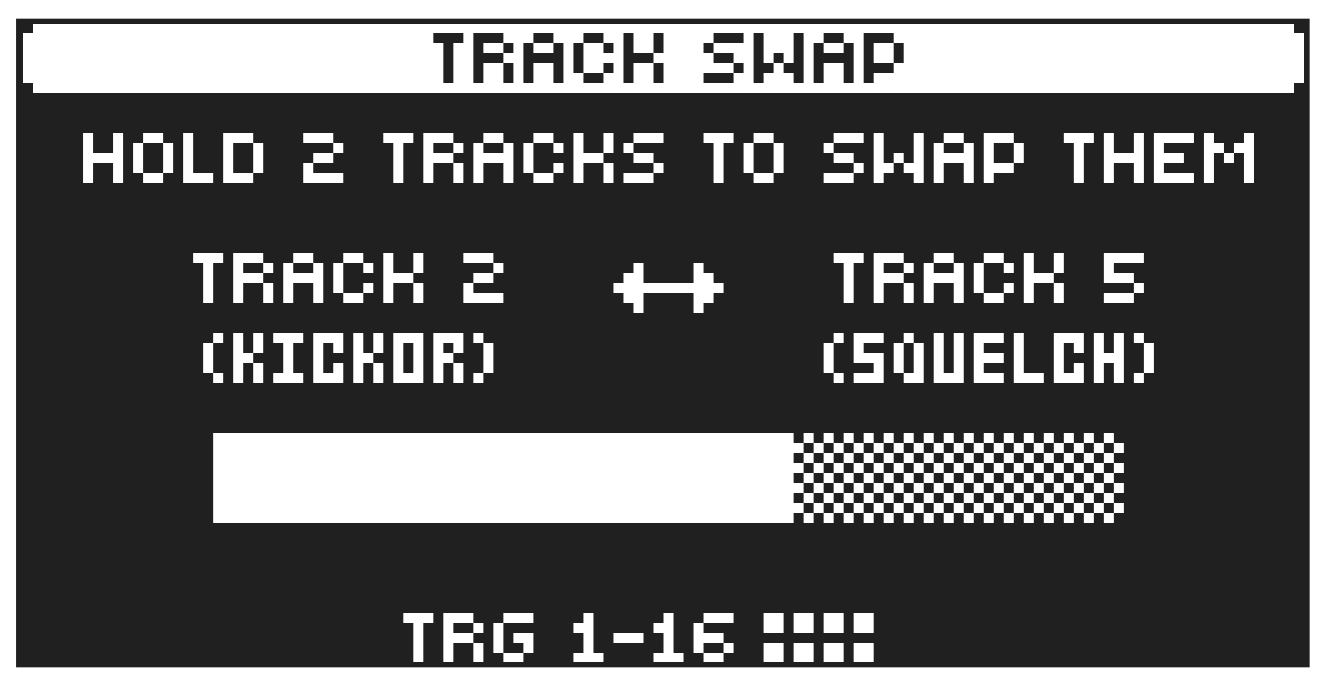
TRACK SWAP
Use the [TRIG] keys to swap two tracks together with all settings, presets, and sequencer data and make them change places with each other. Press and hold the two tracks [TRIG] keys untill the screen reads “TRACKS X AND X SWAPPED”.
9.8.2 TRACK
Here you can set a number of track related parameters. Use the [UP] and [DOWN] arrow keys to move between the options. Press [YES] to confirm your selection. Press [NO] to exit the menu.
LEGATO
In LEGATO mode, the envelopes are not triggered by a subsequent note on/key press if the first note is still held.
NOTE PRIORITY
Here you can set the note priority, i.e., what note is played if more than one note is played at the same time. This setting is only available If LEGATO is set to ON.
LAST gives priority to the last note played.
LOW gives priority to the lowest note played.
HIGH gives priority to the highest note played.
VELOCITY TO VOL
Selects how MIDI velocity affects volume when playing the preset from a MIDI keyboard.
OFF means velocity does not affect the volume of the sound.
LOG applies a logarithmic velocity curve. The volume difference are greater between softer keyboard presses than between harder.
LIN applies a linear velocity curve. The volume difference between keyboard presses corresponds linearly to the force applied.
EXP applies an exponential velocity curve. The volume difference are greater between harder keyboard presses than between softer.
EXP 2 applies an exponential velocity curve. The volume difference are greater between harder keyboard presses than between softer. The EXP 2 curve has a higher starting point, meaning that a low velocity has a higher impact on the volume than on EXP.
OCTAVE
Sets the base octave of the preset. It also makes preset locking more practical since you can control the octave setting on the preset and minimize the need to transpose the sequencer notes to make two or more presets work together.
PITCH BEND DEPTH
Sets how much the pitch bend data from external MIDI devices affects the Digitakt II.
PORTAMENTO
Here you find settings related to the portamento. For more information, please see “11.3 TRIG PAGE 2” on page 54.
SLOPE
CONSTANT RATE. The pitch glides linearly at a constant rate. Longer glides take longer time to complete.
CONSTANT TIME The pitch glides linearly, but the glide is completed in a specific time, regardless of the interval between the start and end notes. Glides over wider note intervals, therefore, have a higher rate.
AMOUNT
This setting enables partial glides where just the final part of the interval is included in the glide. For example, a setting of 100 gives a full glide from start to finish. Lower values start the glide closer to the goal pitch.
STYLE
GLIDE Ordinary continuous portamento.
GLISSANDO Quantizes the portamento to semitones.
LEGATO ONLY
ON When playing notes, the pitch glides from the pitch of the last note played and held (the key pressed down and not yet released) to the pitch of the next new note played on the track.
OFF When you play notes, the pitch glides from the pitch of the last note played to the next new note played on the track.
GATING
OFF The glide continues after the key is released.
ON The glide stops when the key is released.
KEY TRACKING
Opens a menu where you can assign up to four parameters to the key tracking. Both the NOTE parameter on the TRIG menu and the key track information from incoming MIDI sent to the Digitakt II from external devices affects the assigned parameters. Press [YES] to open the menu.
You can select parameters from the SRC, FLTR, AMP, FX, and MOD PARAMETER pages. Turn the DATA ENTRY knobs A–D to select the track parameters that you wish to assign. Press [YES] to confirm the selection. Then use DATA ENTRY knobs E–H to set the modulation depth of the four track parameters. The depth is an offset of the original track parameter value.
Turn LEVEL/DATA to test your settings.
VELOCITY MOD
Opens a menu where you can assign up to four PARAMETER page parameters to the velocity parameter. Both the VEL parameter on the TRIG menu and the velocity of incoming MIDI notes sent to the Digitakt II from external devices affects the assigned parameters. Press [YES] to open the menu. Selecting parameters and setting modulation depth works in the same way as for KEY TRACKING.
Turn LEVEL/DATA to test your settings.
AFTERTOUCH
Opens a menu where you can assign up to four PARAMETER page parameters to the MIDI aftertouch command. Press [YES] to open the menu. Selecting parameters and setting modulation depth works in the same way as for KEY TRACKING.
Turn LEVEL/DATA to test your settings.
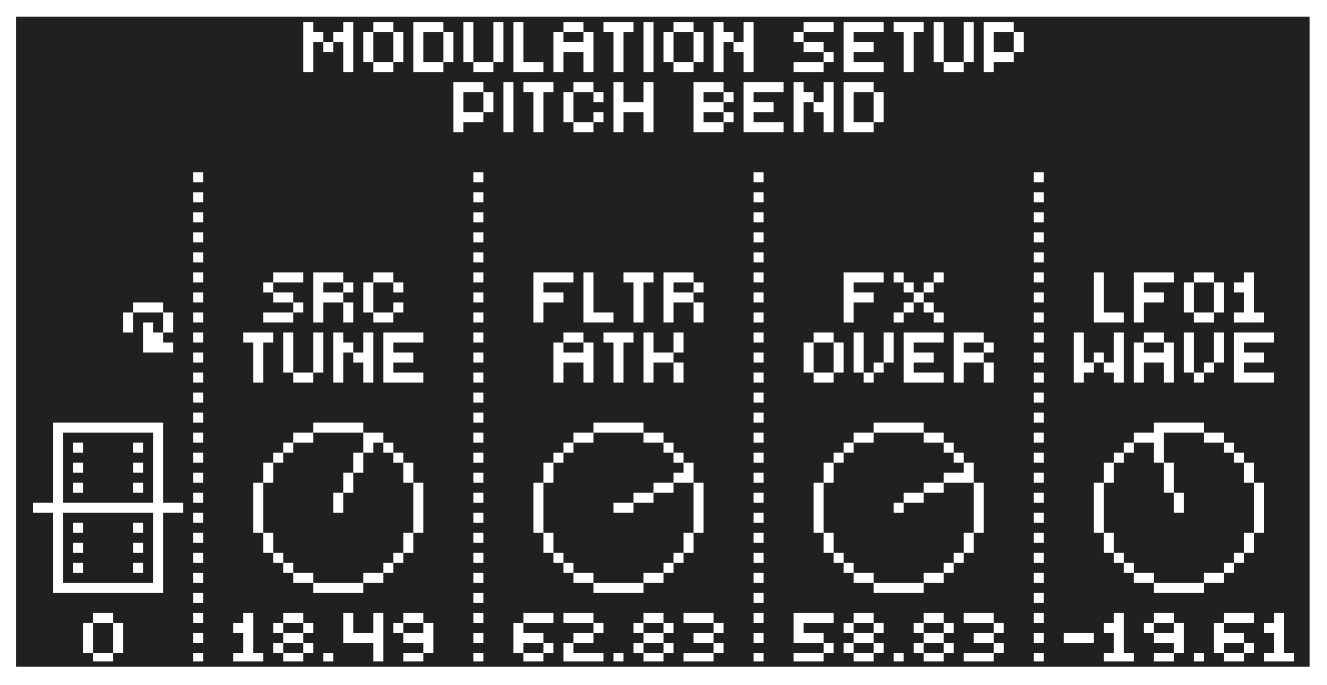
PITCH BEND
Opens a menu where you can assign up to four PARAMETER page parameters to the pitch bend.
The pitch bend from incoming MIDI sent to the Digitakt II from external devices affects the assigned parameters. Selecting parameters and setting modulation depth works in the same way as for KEY TRACKING.
Turn LEVEL/DATA to test your settings.
MODULATION WHEEL
Opens a menu where you can assign up to four PARAMETER page parameters to the MIDI mod wheel command (CC #1). Press [YES] to open the menu. Selecting parameters and setting modulation depth works in the same way as for KEY TRACKING.
Turn LEVEL/DATA to test your settings.
BREATH CTRL
Opens a menu where you can assign up to four PARAMETER page parameters to the MIDI breath controller command (CC #2). Press [YES] to open the menu. Selecting parameters and setting modulation depth works in the same way as for KEY TRACKING. Turn LEVEL/DATA to test your settings.
RENAME
Opens the NAMING menu and let you rename the preset of the active tracks.