9.1 SEQUENCER TEMPO
9. THE SEQUENCER > 9.1 SEQUENCER TEMPO · PDF p. 36 · OS 1.42
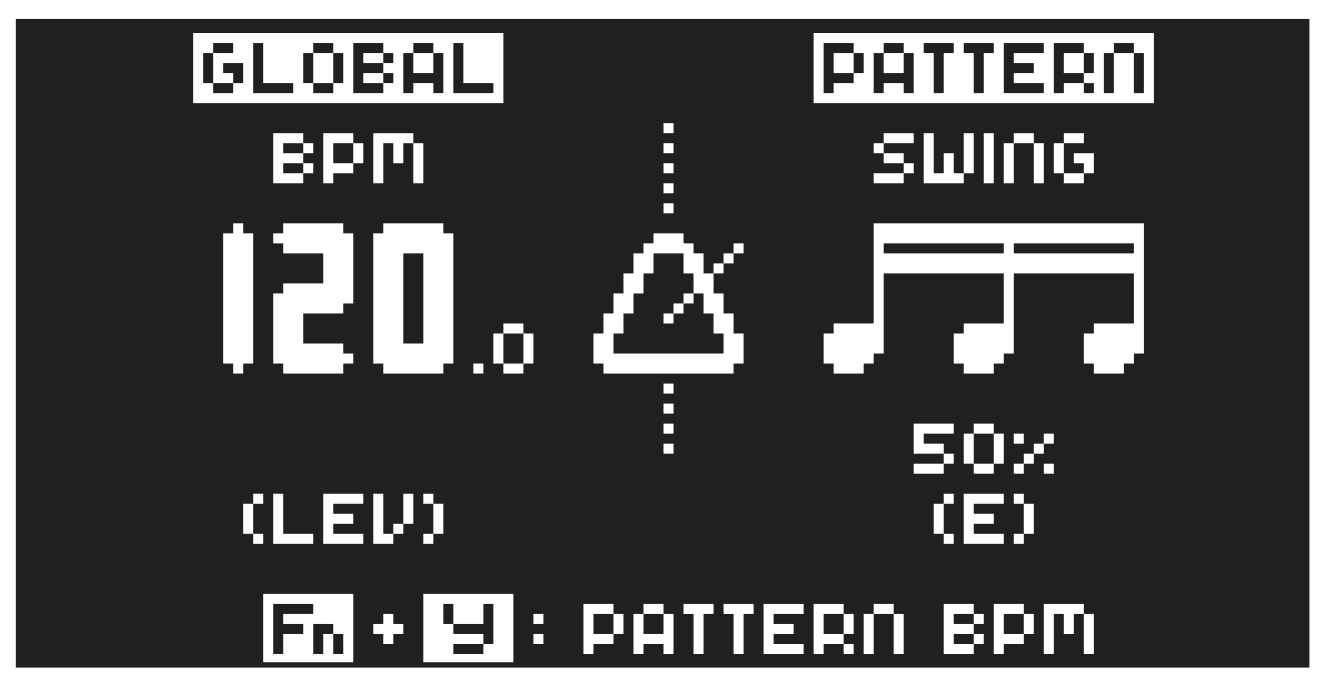
To change the BPM setting, open the TEMPO menu by pressing the [TEMPO] key. Use the LEVEL/DATA knob to change tempo. Pressing the knob while turning it changes the tempo four BPM at a time. The [ARROW] keys [UP] or [DOWN] change the tempo in increments of 0.1 BPM. Note that you can chose between a global tempo or using a separate tempo for every pattern. Press [FUNC] + [YES] to switch between GLOBAL and PATTERN tempo mode. On the main interface screen, you can also press and hold [ARROW] keys [LEFT] or [RIGHT] to nudge the tempo 10% up or down temporarily. Release the key to revert to the original tempo.
To tap a tempo setting, hold the [FUNCTION] key and tap the [TEMPO] key in a steady rhythm. After four consecutive taps the average tempo of the taps will be calculated. By continuing tapping, the average tempo will keep on updating. When in the TEMPO menu (and with GLOBAL tempo mode selected), holding [FUNC] while turning the LEVEL/DATA knob will not change the tempo to the selected value until the [FUNC] key is released. While doing this, “PREP.” will flash in the bottom left corner of the screen.
Nudging the tempo is very handy when manually syncing Syntakt to a turntable or an external sound source. Note that you do not need to be in the TEMPO menu to perform tempo nudging.