10.9 LFO PAGE 1
10. AUDIO TRACK PARAMETERS > 10.9 LFO PAGE 1 · PDF p. 55–57 · OS 1.42
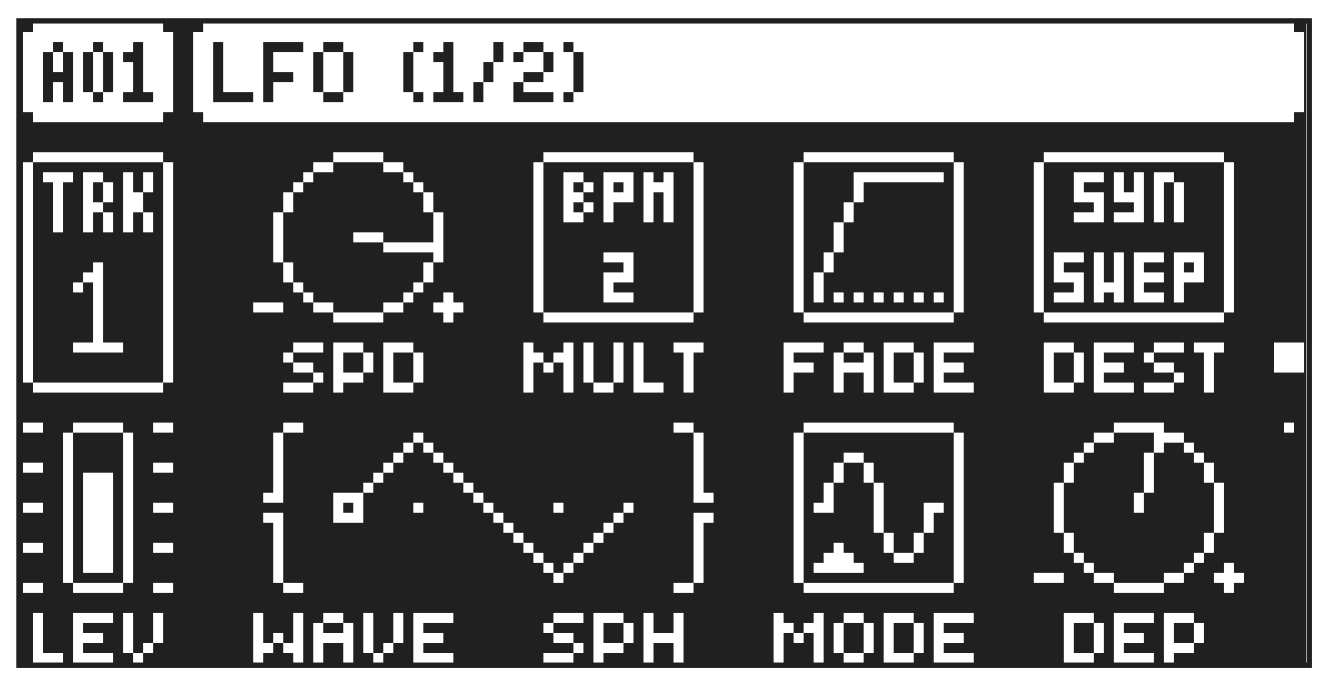
The Low-Frequency Oscillator can be used to modulate the parameters found on the audio tracks SYN, FILTER and AMP pages. Customize the low-frequency oscillator behavior, orientation, and depth on this page. This page controls the behavior of LFO 1.
Press [LFO] to access this parameter page.
10.9.1 SPD
Speed sets the speed of the LFO. Try settings of 8, 16 or 32 to sync the LFO to straight beats. The knob is bipolar. The LFO cycle can be played backward by using negative values.
10.9.2 MULT
Multiplier multiplies the SPD parameter by the set factor either by multiplying the current tempo (BPM settings), or by multiplying a fixed tempo of 120 BPM.
10.9.3 FADE
Fade In/Out makes it possible to fade in/fade out the LFO modulation. The knob is bipolar. Positive values give a fade-out, negative values give a fade in. 0 gives no fade in/fade out.
10.9.4 DEST
Destination selects the modulation destination for the LFO. Preview how the LFO modulation will affect the sound by highlighting a destination. Press [YES] to confirm the selection. For more information, please see “APPENDIX C: LFO MODULATION DESTINATIONS” on page 119
10.9.5 WAVE
Waveform sets the LFO waveform. The Triangle, Sine, Square, Sawtooth, and Random waveforms are bipolar. The Exponential and Ramp are unipolar.
10.9.6 SPH
Start Phase sets the point within the wave cycle where the LFO will start when it is trigged. 0 makes the LFO start at the beginning of a complete wave cycle, 64 makes it start at the center. A small square at the start of the waveform shows that the wave cycle starts at a zero-crossing point. If WAVE is set to RND then the SPH parameter changes to SLEW and adds slew to the transitions in the waveform.
10.9.7 MODE
Trig Mode sets how the LFO will act when a note is trigged.
- FRE is the default free-running mode. It makes the LFO run continuously, never restarting or stopping even if notes are trigged.
- TRG makes the LFO restart when a note is trigged.
- HLD makes the LFO run free in the background, but when a note is trigged the LFO output level is latched and held still until the next note is trigged.
- ONE The LFO starts when a note is trigged, then runs to the end of the waveform and then stops.
This makes the LFO function similar to an envelope.
- HLF The LFO starts when a note is trigged, then runs to the middle of the waveform and then stops.
10.9.8 DEP
Depth sets the depth and polarity of the LFO modulation. Both negative (inverted) and positive modulation depth is possible. A setting of 0 equals no modulation depth.