16.2 CONTROLLING A SYNTHESIZER USING THE MIDI TRACKS
16. SETUP EXAMPLES > 16.2 CONTROLLING A SYNTHESIZER USING THE MIDI TRACKS · PDF p. 85–87 · OS 1.42
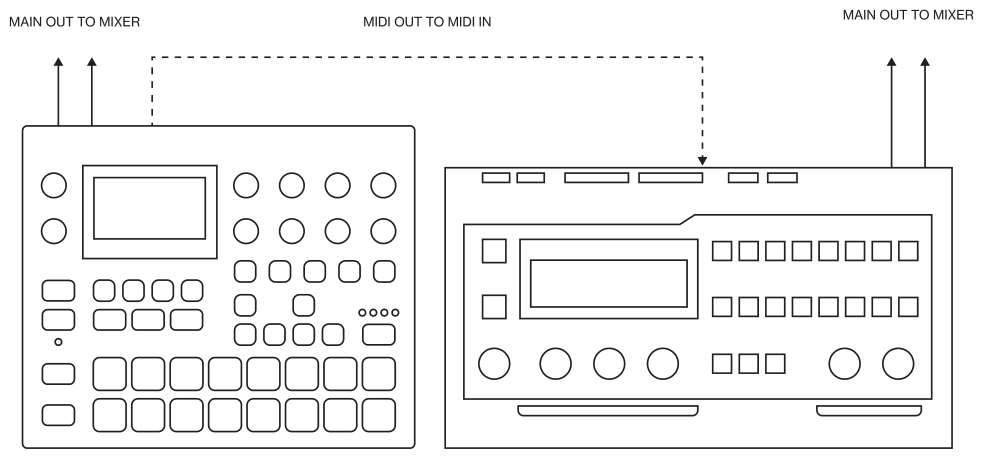
Syntakt has extensive capabilities to use its sequencer’s MIDI tracks to control other MIDI-equipped synthesizers.
- Use a standard MIDI cable to connect the Syntakt MIDI OUT jack to the synthesizer’s MIDI IN jack.
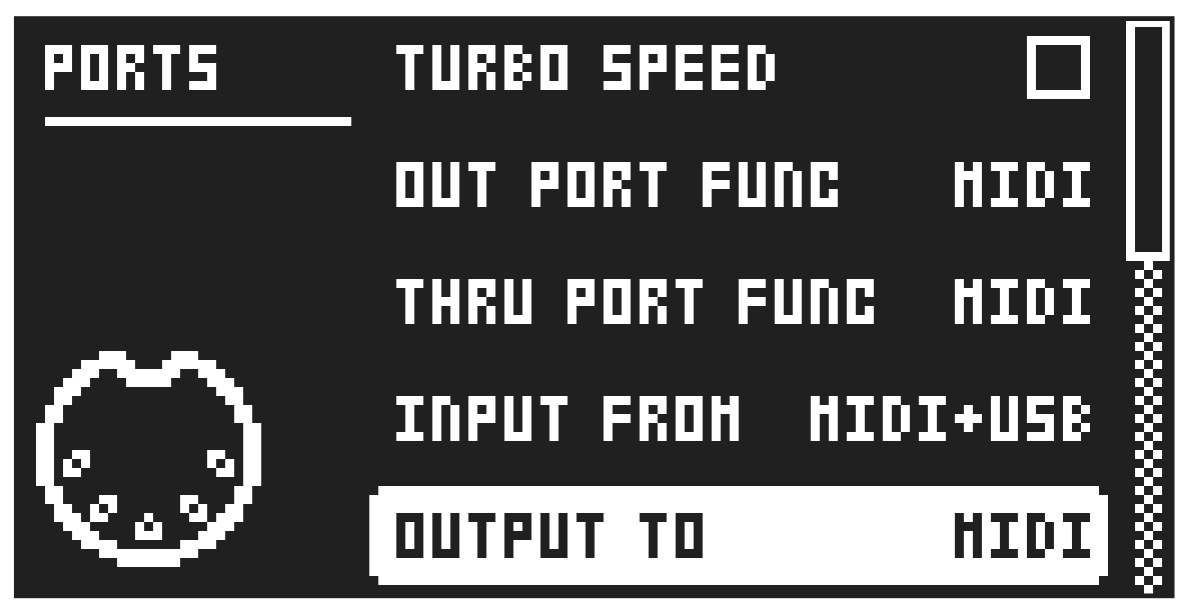
- On the Syntakt, press [SETTINGS], and then navigate to MIDI CONFIG > PORT CONFIG and set OUT PORT FUNC to MIDI.
- In the same menu set OUTPUT to MIDI.
- Press [FUNC] + [SYN], and then use the [ARROW] keys to navigate to the MIDI machine, and then press [YES] to select the MIDI machine on the active track.
- Press [SYN] and use the CHAN parameter to select a MIDI channel that the track will output its data to.
- Make sure to set your synthesizer to receive MIDI input in a way that corresponds to the settings you made in the Syntakt.
You are now ready to use the Syntakt sequencer to control your synthesizer. For more information about using the Syntakt sequencer, please see “9.1 SEQUENCER TEMPO” on page 36.