7.5 TEMPO AND METRONOME
7. QUICK START > 7.5 TEMPO AND METRONOME · PDF p. 28–29 · OS 1.4.1
7.5.1 TEMPO
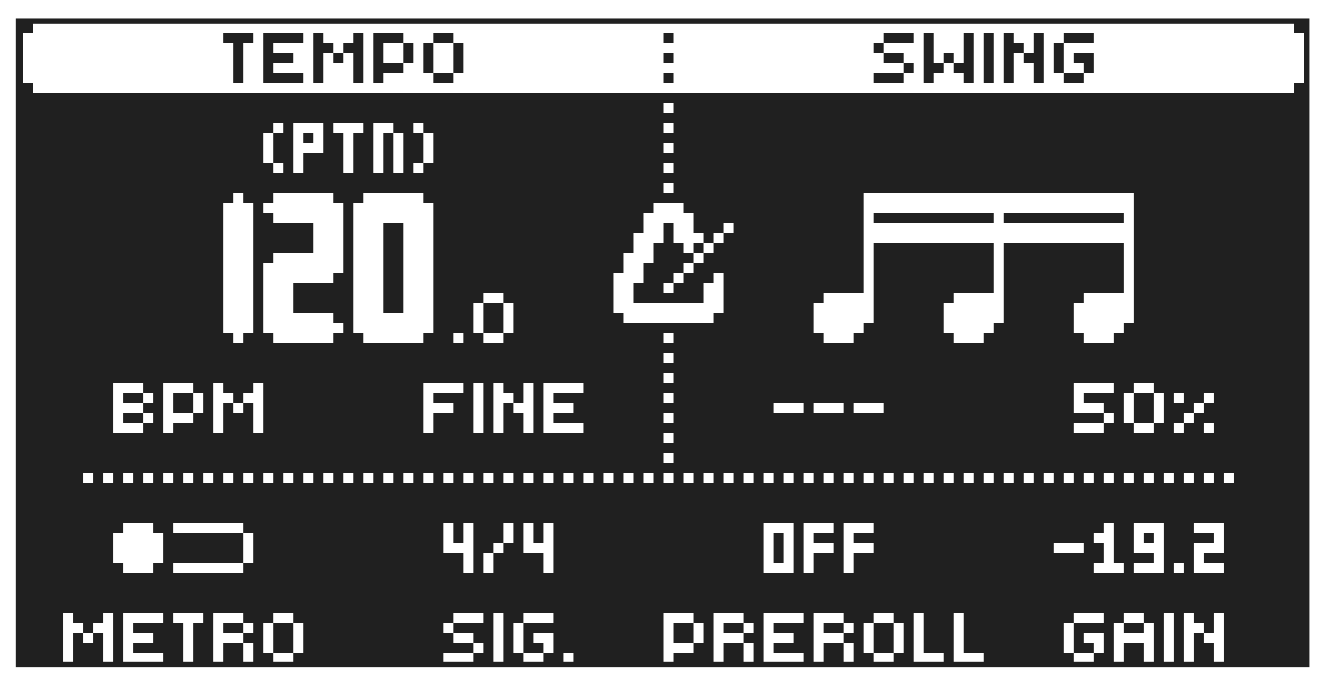
Press [TEMPO] to open the TEMPO menu, where you can adjust the BPM and SWING settings. Use DATA ENTRY knob A or LEVEL/DATA to change the tempo. Pressing the knob while turning it changes the tempo eight BPM at a time. Use [UP]/[DOWN] or DATA ENTRY knob B to change the tempo in decimal steps. To tap a tempo setting, hold [FUNC] and tap the [TEMPO] key in a steady rhythm. After four consecutive taps the average tempo of the taps will be calculated. By continuing to tap, the average tempo will keep updating. On the main interface screen, you can also press and hold the [ARROW] keys [LEFT] or [RIGHT] to temporarily nudge the tempo up or down by 10%. Release the key to revert to the original tempo.
- Nudging the tempo is very handy when manually syncing Tonverk to a turntable or an external sound source. Note that you do not need to be in the TEMPO menu to nudge the tempo.
- If Tonverk is set to receive MIDI clock from an external source, the display will show “MIDI” above the BPM on the screen. The BPM can’t then be changed on the Tonverk.
Use DATA ENTRY knob D to adjust the SWING setting of the pattern, to employ a propulsive, rhythmic groove. The swing ratio can be set to 50-80%. The default setting is equal spacing, 50%.
Press [NO] to close the menu.
7.5.2 METRONOME
The metronome settings control the internal metronome of Tonverk. Press [TEMPO] to open the TEMPO menu. Use the DATA ENTRY knobs E-H to change the settings.
Press [NO] to close the menu.
METRO activates/deactivates the metronome. You can also press [FUNC] + [KEYBOARD F#1] to toggle the metronome on/off even if you are not in the METRONOME menu.
SIG. sets the note and beat measure of the metronome time signature.
PREROLL sets the number of bars the metronome will sound before the sequencer starts playing.
This setting is only relevant when you are in LIVE RECORDING mode.
GAIN sets the volume of the metronome’s click.