10.1 PATTERN OPERATIONS
10. THE SEQUENCER > 10.1 PATTERN OPERATIONS · PDF p. 38–39 · OS 1.4.1
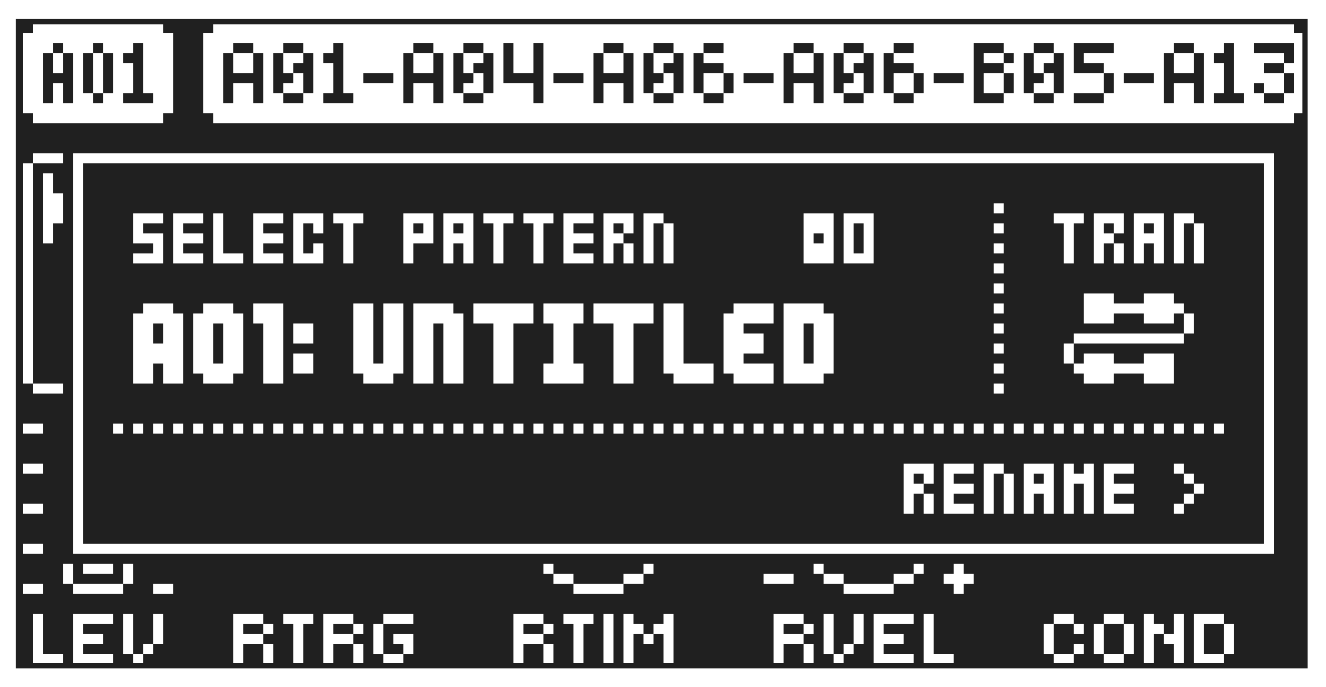
Tonverk can seamlessly switch between patterns. Together with the ability to chain patterns, this is a handy feature when improvising live. For more information, please see “10.1.3 CHAINS” on page 38.
10.1.1 SELECTING BANK AND PATTERN
Press [PTN] and then use the [SUBTRACKS] keys to select a bank (if you want to choose a pattern from another bank than the current). Then press [TRIG 1–16] to select a pattern.
If you just want to choose a pattern within the current bank, press [PTN] + [TRIG 1–16].
Press [PTN] or [NO] to exit bank/pattern selection.
White [TRIG] keys indicate pattern positions that contain data. A red [TRIG] key indicates the current active pattern. Empty patterns are unlit.
When a pattern is playing, and a new pattern is selected, the new pattern number will be shown flashing in the upper left corner of the screen. Once the last step of the pattern has played, the new pattern will begin, and the pattern number will stop flashing.
- Patterns can be changed while the sequencer is running.
- Patterns can be changed and queued by sending program change messages.
- It is possible to copy a pattern, and then paste it to one or several locations without leaving the current pattern. You can also clear one or several non-active patterns.
- To copy, first press [PTN]. Then press [TRIG] + [RECORD] to select the pattern you wish to copy and copy it. Then press [TRIG] + [STOP] to select to where you want to paste the pattern and paste it.
- To clear, first press [PTN]. Then press [TRIG] + [PLAY] to select the pattern you wish to clear and clear it.
10.1.2 PATTERN CONTROL
Press [PLAY] to start the playback of a pattern. Press [STOP] to stop the playback of all tracks. The sound will be cut off, but effects like Delay will continue to be audible until the delay repeats have faded out. Quickly press [STOP] + [STOP] to stop playback of all tracks and get just a short fade out of the send effects.
When a pattern is playing, press [PLAY] to pause the playback. Press [PLAY] to resume the playback.
If a pattern contains more than 16 sequencer steps, the small square boxes at the top of the screen will indicate this. When a pattern is playing, the active pattern page is shown with a blinking unfilled square.
10.1.3 CHAINS
Chains are sequences that consist of more than one pattern. You can use chains to preselect and automate the order in which you want your patterns to play. You can create one chain and use any pattern in bank A–H. The chain can consist of up to 64 patterns.
- Ensure you are in the SEQUENTIAL TRANSITION mode. You can only create chains in this mode.
For more information, please see “10.1.4 TRANSITION MODE” on page 39.
- Press [PTN] to enter the pattern selection.
- Press and hold [TRIG 1–16] to select the first pattern in the chain.
- Press [TRIG 1–16] keys in the same order as you want the chained patterns to play. Keep the previously selected [TRIG] key pressed while you press the next one, the one after that, and so on. You can press the same [TRIG] key again if you wish to add the pattern multiple times in a row. If you want to add a pattern from another bank, use the [SUBTRACKS] keys to select bank and then press [TRIG 1–16] to select pattern.
- Press [PLAY] to start the sequencer and play the chain. The chain will loop when the final pattern of the chain has been played.
To exit chain mode, select a pattern or song using the normal selection process.
Please note that the chain will be lost when you create a new chain, select a new pattern, or song. You cannot save chains, and they will be lost when you switch Tonverk off.
- Chains can be created while the sequencer is running.
- TRANSITION mode must be set to SEQUENTIAL if you wish to create chains.
10.1.4 TRANSITION MODE
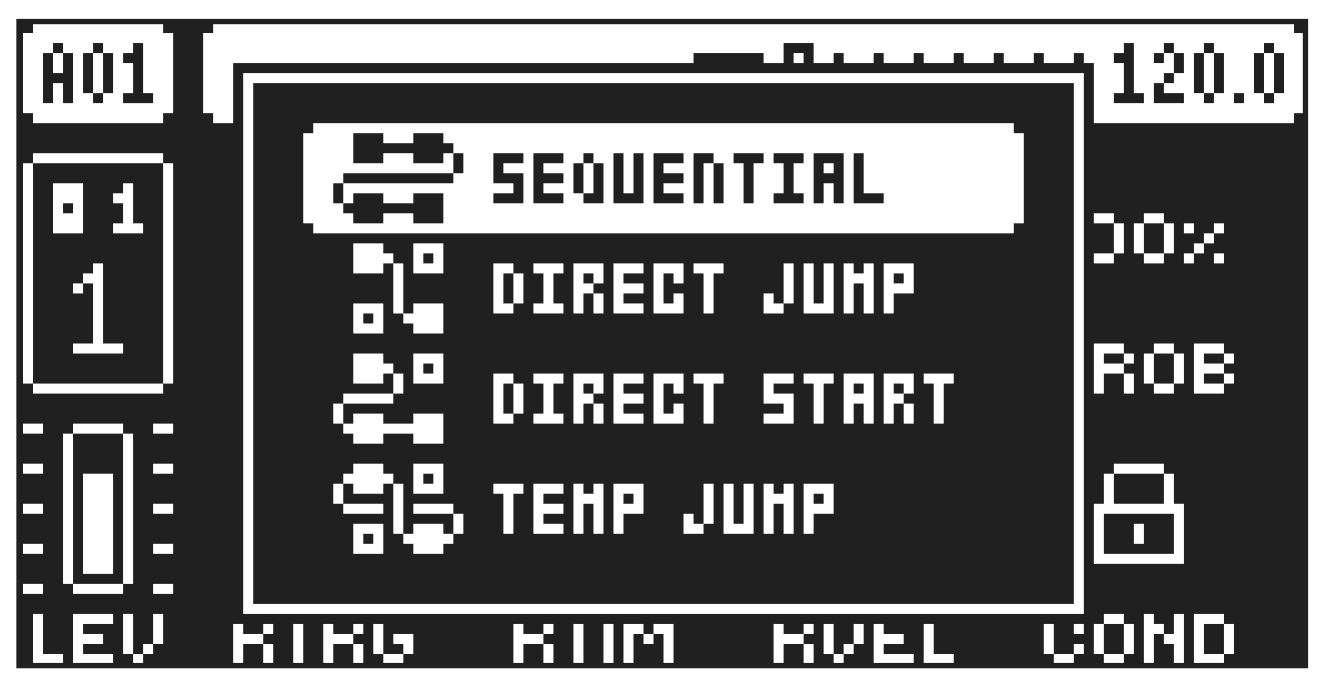
When changing patterns, the different TRANSITION modes affect the way the active pattern changes to the next pattern. Press [FUNC] + [PTN] to open theTRANSITION mode select menu. Either keep holding [FUNC] while pressing [PTN] to cycle through the modes, or use [UP]/[DOWN] and then press [YES] to select mode.
There are four TRANSITION modes.
SEQUENTIAL changes patterns after the currently playing pattern reaches its end. This mode is the default mode.
DIRECT JUMP immediately changes patterns. The new pattern will start playing from the position where the previous pattern left off.
DIRECT START immediately changes patterns. The new pattern will start playing from the beginning.
TEMP JUMP immediately changes patterns and the new pattern starts playing from the position where the previous pattern left off. It plays the new pattern once to the end and then returns to the pattern that was playing before the change.
You can also use TEMP JUMP mode when you are in CHAIN mode, but then the pattern you change to instead replaces the current pattern in the chain. For example, say that you have a chain set up like this: A01 > A03 > A04 > A02. When the chain is playing, and you are in TEMP JUMP mode, change pattern to A16 while pattern A03 is playing. The pattern will immediately change to A16, and once A16 has ended, then the chain will continue to play from pattern A04.