11.4 AMP
11. THE TRACK SETUP MENU > 11.4 AMP · PDF p. 53 · OS 1.4.1
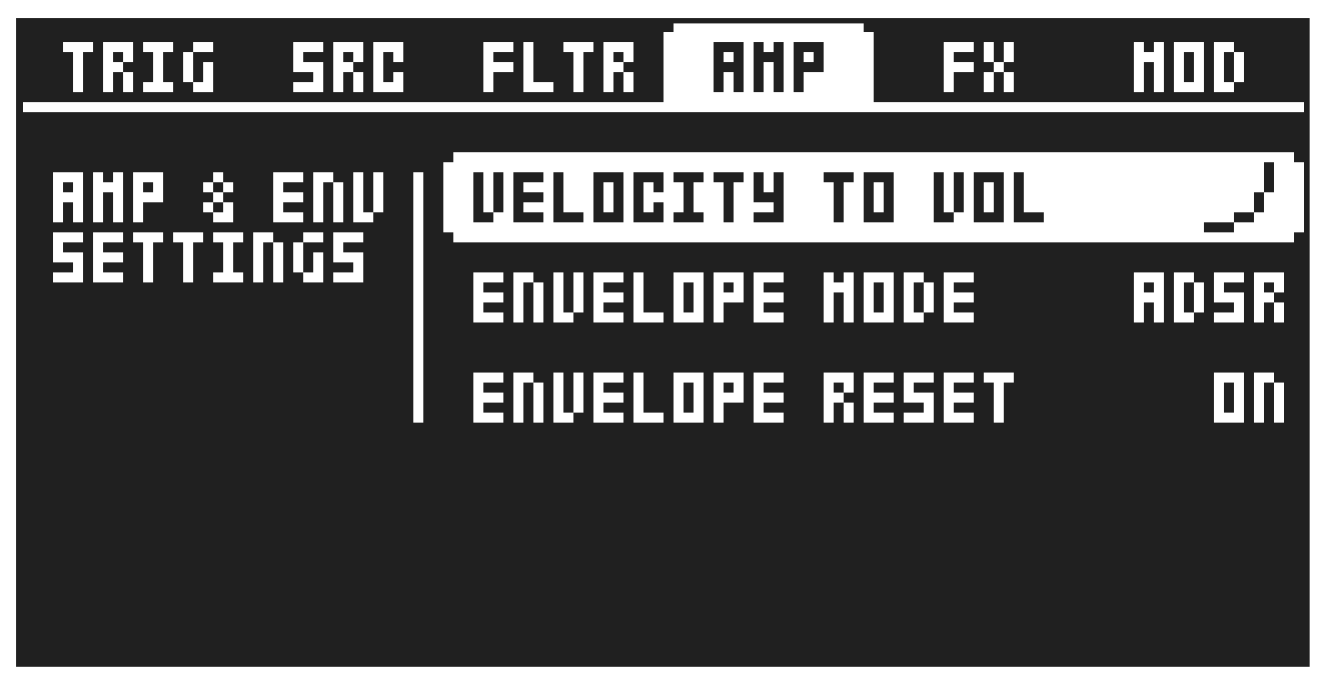
On this page, you find several settings related to the amplifier. These settings are only available for audio tracks.
Press [FUNC] + [AMP] to access this page.
11.4.1 VELOCITY TO VOL
Selects how MIDI velocity affects volume when playing the preset from a MIDI keyboard.
OFF means that velocity does not affect the volume of the sound.
LOG applies a logarithmic velocity curve. The volume difference is greater between softer keyboard presses than between harder ones.
LIN applies a linear velocity curve. The volume difference between keyboard presses corresponds linearly to the force applied.
EXP applies an exponential velocity curve. The volume difference is greater between harder keyboard presses than between softer.
11.4.2 ENVELOPE MODE
Envelope type sets if the amplitude envelope should be an AHD or ADSR envelope.
11.4.3 ENVELOPE RESET
Envelope reset sets the amplitude envelope behavior:
ON resets the envelope for each consecutive trig.
OFF does not reset the envelope for each consecutive trig.