10.6 TRANSFORM MENU
10. THE SEQUENCER > 10.6 TRANSFORM MENU · PDF p. 42–43 · OS 1.4.1
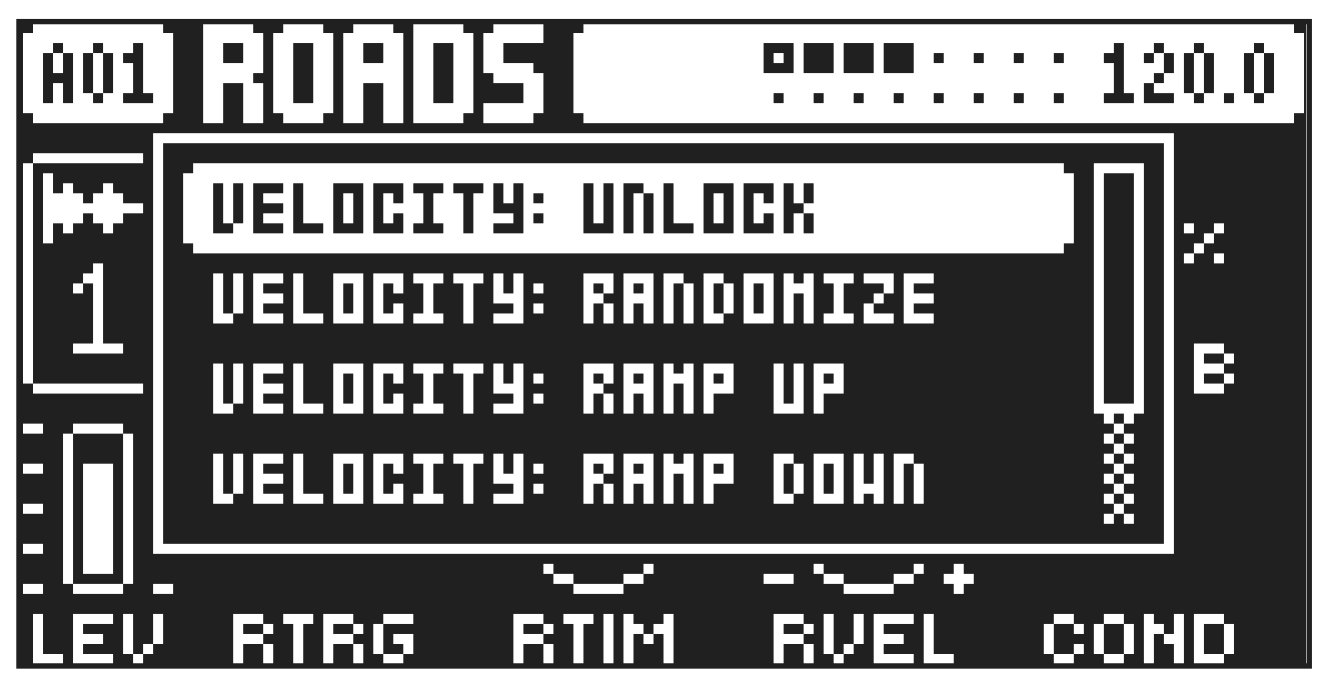
Here you can affect certain aspects of the trigs already placed on a track. The Transform actions affect all the trigs on the selected track. Press [FUNC] + [-] to access the TRANSFORM menu.
VELOCITY UNLOCK removes all parameter locks for the VEL parameter.
VELOCITY RANDOMIZE randomizes the velocity of the trigs by placing parameter locks on the VEL parameter.
VELOCITY RAMP UP sets the velocity of the trigs from low to high by placing parameter locks on the VEL parameter.
VELOCITY RAMP DOWN sets the velocity of the trigs from high to low by placing parameter locks on the VEL parameter.
PLACEMENT RANDOMIZE randomizes the placement of the trigs on the track.
PLACEMENT REVERSE reverses the placement of the trigs on the track.