11.5 FX
11. THE TRACK SETUP MENU > 11.5 FX · PDF p. 53–54 · OS 1.4.1
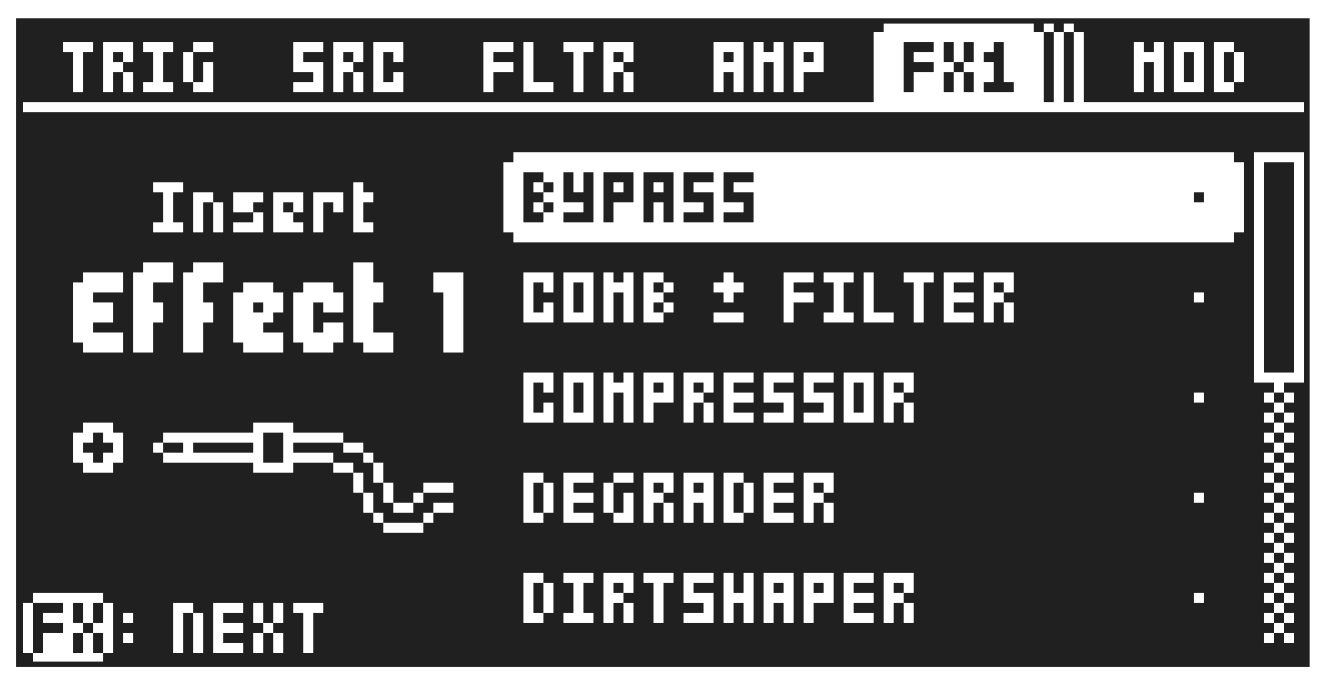
Here, you can select the two insert FX machines, set the level of the audio routed to the track’s effect(s), and set the post FX pan. This parameter group has three subpage. Use the [FX] key to cycle through the two subpages for the effects and the level setup page. Use [UP]/[DOWN] to select the machine, and then press [YES] to assign the selected machine to the track. Use [LEFT]/[RIGHT] to set the input levels and Post FX pan amount on FX page 3. For more information, please see “A.3 FX MACHINES” on page 100.
Press [FUNC] + [FX] to directly access this page.
11.5.1 FX 1 IN LEV
Sets the gain of the audio from the SRC machine that is sent to insert effect 1.
11.5.2 FX 2 IN LEV
Sets the gain of the audio from the SRC machine that is sent to insert effect 2. This parameter is not available for the Mix track.
11.5.3 POST FX PAN
Pans the track’s sound after the effects stage, affecting the entire output of the track. This parameter is not available for the Mix track.
11.5.4 SWAP FX1/FX2
Highlight this option, and then press [YES] to swap the order of the two FX slots and their selected FX machines.