12.6 FLTR PAGE 2
12. AUDIO TRACK PARAMETERS > 12.6 FLTR PAGE 2 · PDF p. 57–58 · OS 1.4.1
正誤FLTR page 2 knob letters are never printed and do not line up
§12.6 describes the six FLTR page 2 parameters (DEL, SPRD, KEY.T, BASE, WIDTH, RSET) without stating any knob letters, while Appendix B lists FILTER page 2 destinations on knobs A, C, D, E, F and H — skipping B and G. The join cannot be made without guessing, so the parameter records number the slots A–F in the manual's listing order and the mod-destination map leaves the “knob H” row unlinked (fltr2.sprd therefore shows no mod-destination badge). Unresolved pending hardware.
判定:TONVERK_PLAN.md + §12.6
印刷版マニュアルで確認された誤りです。本プロジェクトは矛盾を隠さず記録します——原文を引用する内容と同様、以下の注記は英語のままです。
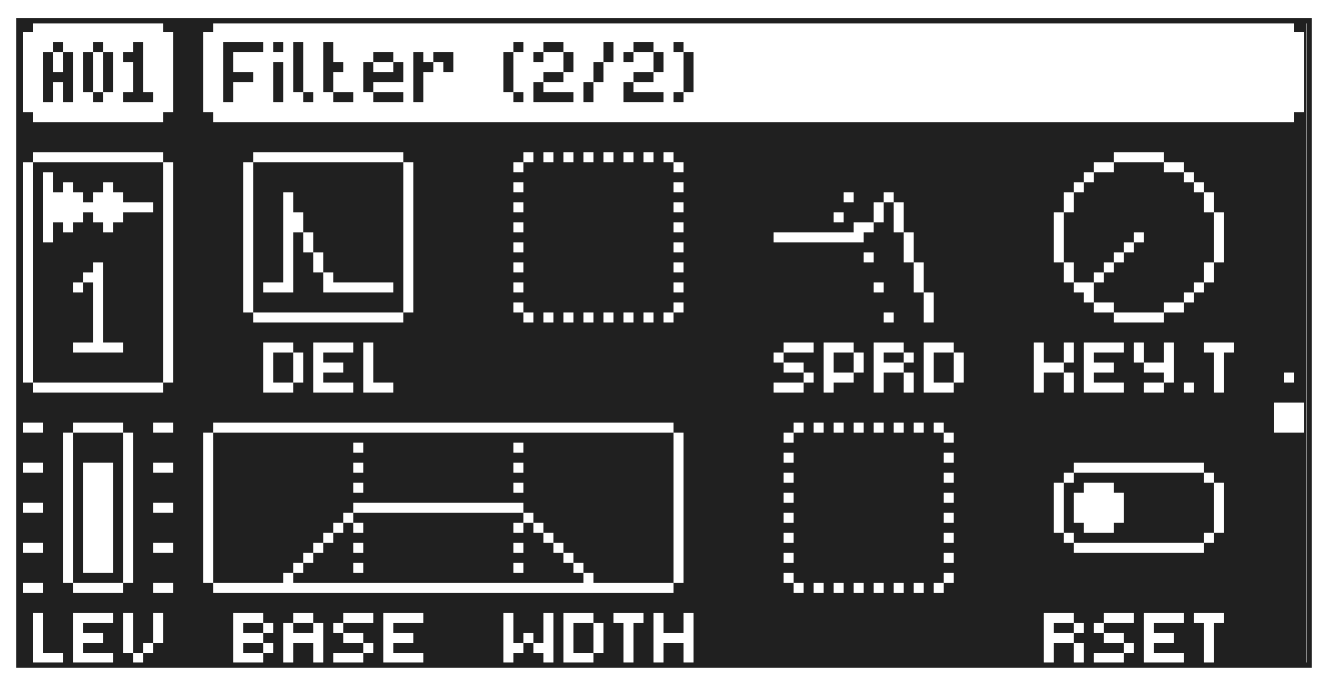
On FLTR page 2, you will find the parameters that control the Base-width filter and several parameters that affect the Multimode filter on FLTR page 1. The parameters described here are for the Single Player, Multi Player, and the Subtracks SRC machines. The Grainer and Shape machines do not have any FLTR PAGE 2.
The Base-width filter is a high-pass filter and a low-pass filter connected in series. The filters BASE and WDTH parameters define the Base-width filter’s frequency range.
Examples of how the BASE and WDTH parameters affect the filter frequency range:
FREQUENCY
AMPLITUDE
Base Width FREQUENCY
AMPLITUDE
Base Width FREQUENCY
AMPLITUDE
Base Width
- With BASE set to 0, the filter functions as a low-pass filter with WDTH adjusting the frequency range.
- With WDTH set to 127, the filter functions as a high-pass filter with BASE adjusting the frequency range.
- With WDTH set to 0, the filter functions as a band-pass filter with BASE adjusting the frequency.
- With BASE set to 0 and WDTH set to 127, the filter does not affect the sound.
DEL
Envelope delay sets the time before the attack phase of the filter envelope starts. This parameter is part of the filter envelope that controls the FLTR machine. You can also press and hold [FUNC] and then turn DATA ENTRY knob A to access this parameter from FLTR page 1 quickly. This parameter only affects the Multimode filter on FLTR page 1.
SPRD
Frequency Spread offsets the filter cutoff frequency in the left and right channels.
KEY.T
Keytrack sets how much the filter cutoff frequency is affected by what note is playing. The higher the KEY.T setting, the more the filter opens up at higher notes. This parameter is only available for the Single Player and Multi Player machines.
BASE
Sets the base frequency of the filter.
WIDTH
Sets the frequency width above the base frequency.
RSET
Envelope Reset sets the filter envelope behavior. This parameter only affects the Multimode filter on FLTR page 1.
ON resets the envelope for each consecutive trig. The envelope’s attack phase is reset to zero.
OFF does not reset the envelope for each consecutive trig (default). The envelope’s attack phase continues from where it was left off.