17.4 PERSONALIZE
17. SETTINGS MENU > 17.4 PERSONALIZE · PDF p. 78 · OS 1.4.1
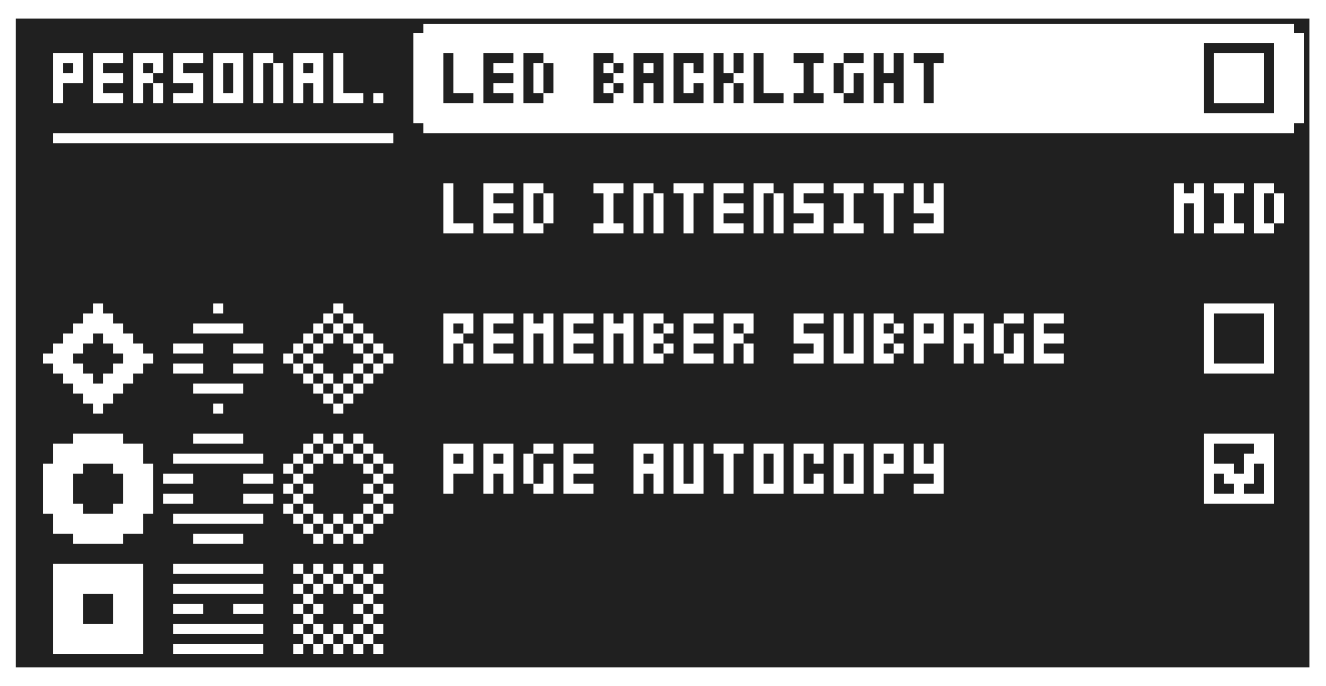
Here you can customize a number of settings to fit your personal preferences.
17.4.1 LED BACKLIGHT
Switches the key LEDs’ backlight on and off.
17.4.2 LED INTENSITY
Sets the brightness of the key LEDs and screen. Use the [LEFT]/[RIGHT] keys to change the setting (MIN, MID, MAX).
Press and hold [SETTINGS] for a second and then press [TRIG 1–3] to set the intensity of the key LEDs and screen. Press and hold [SETTINGS] for a second and then press [TRIG 16] to toggle the key LEDs backlight on/off.
17.4.3 REMEMBER SUBPAGE
Will, when selected, remember which PARAMETER page’s subpage you last used and access this page again the next time you press the same [PARAMETER] key. Use the [YES] key to toggle this setting. (ON, OFF).
17.4.4 PAGE AUTOCOPY
Will, when set to on, automatically copy already placed trigs when extending the length of a pattern. If a pattern consists of for example two pages and the pattern length is increased to four pages, the two additional pattern pages are then copies of the first two pattern pages.