16.2 DIGITAKT II WITH A SMART PHONE
16. SETUP EXAMPLES > 16.2 DIGITAKT II WITH A SMART PHONE · PDF p. 86–87 · OS 1.17
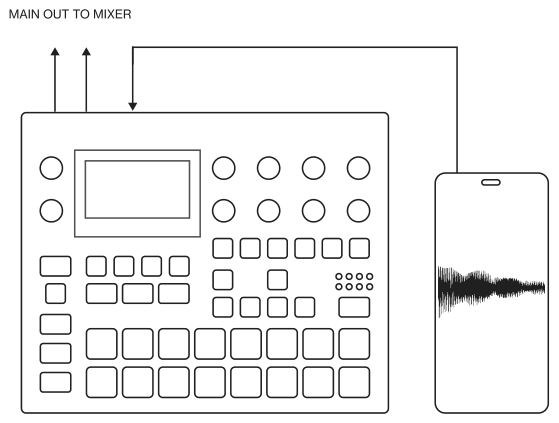
Digitakt II can make use of its class compliant audio and MIDI functionality together with your computer, smart phone or tablet. You can let Digitakt II sample audio from the phone or maybe use it the other way around and record audio from the Digitakt II on your phone. You can use your phone as an effect processor for the Digitakt II, and among many other things. In this example, we use Digitakt II to sample audio from the phone.
- Use a cable or adapter to connect your phone´s data connector jack (Lightning, USB-C or other) to the Digitakt II’s USB-B jack.
- Navigate to SETTINGS > SYSTEM > USB CONFIG and select USB AUDIO/MIDI.
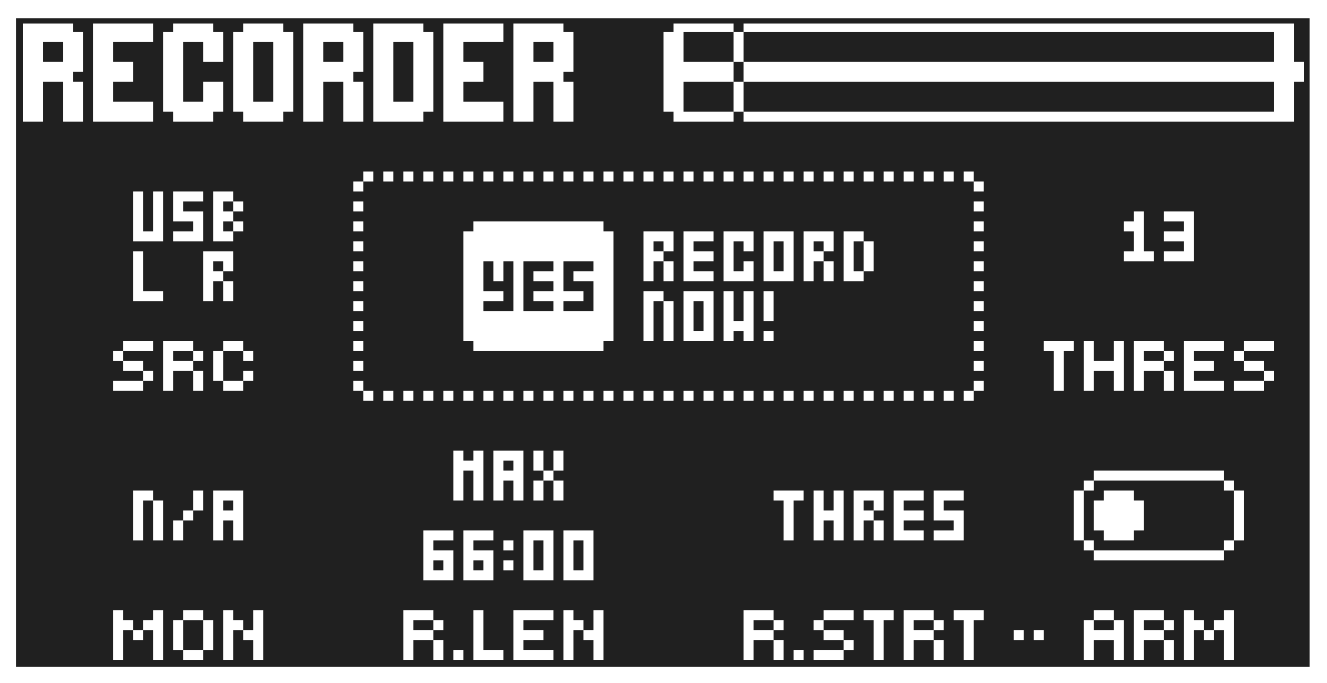
- Press [SAMPLING] to access the SAMPLING menu and then use DATA ENTRY knob A to set SOURCE to USB L R.
- You are now ready to start sampling audio from your smart phone. For more information about the sampling process, please see “13. SAMPLING” on page 68.