9.9 SCALE MENU
9. THE SEQUENCER > 9.9 SCALE MENU · PDF p. 42–43 · OS 1.42
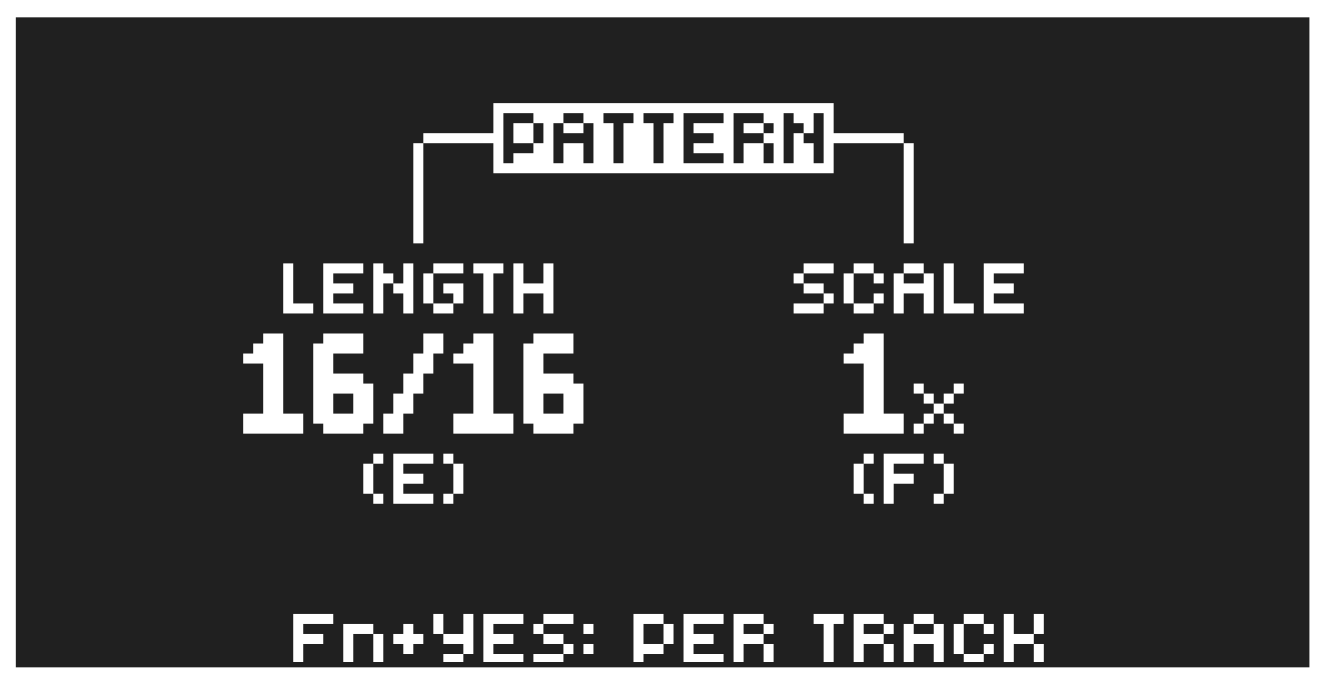
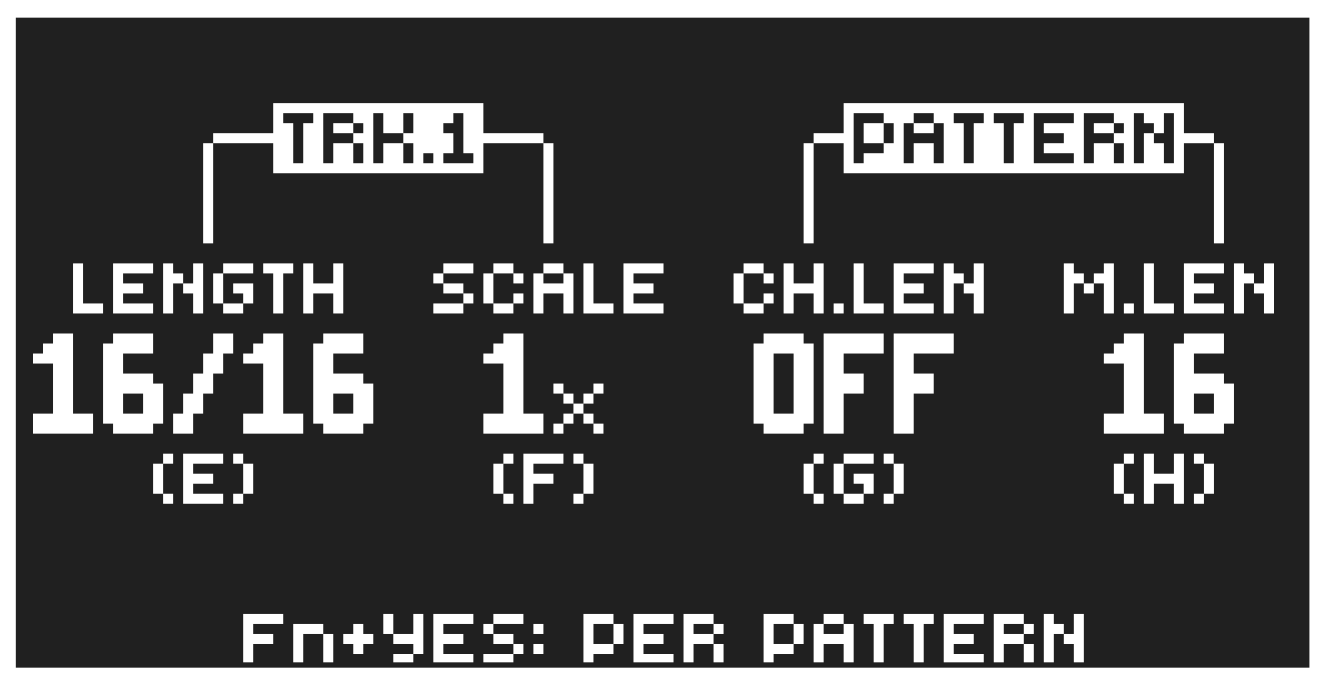
You can set the length and timing of the pattern and tracks in this menu. The SCALE menu has two modes. In PER PATTERN mode all tracks share the same length. In PER TRACK mode, each track can have different lengths. Press [FUNC] + [PAGE] to access the SCALE menu. Press [FUNC] + [YES] to toggle between the two SCALE modes. Use the DATA ENTRY knobs to adjust the settings.
9.9.1 PER PATTERN MODE
In this mode, all tracks of the pattern share the same length and time signature.
LENGTH controls the step length of the pattern. The leftmost number displays the number of steps in the pattern. The total length, displayed by the second number, determines the maximum number of steps available in the pattern. If you use 17 steps or more in a pattern, the [PAGE] key is (while in GRID RECORDING mode) used to toggle between the different pattern pages.
SCALE controls the speed of pattern playback in multiples of the current tempo. It offers seven possible settings, 1/8X, 1/4X, 1/2X, 3/4X, 1X, 3/2X and 2X. A setting of 1/8X plays back the pattern at one-eighth of the set tempo. 3/4X plays the pattern back at three-quarters of the tempo; 3/2X plays back the pattern twice as fast as the 3/4X setting. 2X makes the pattern play at twice the BPM.
When you extend the length of a pattern, its trigs copies automatically over to the new steps. If a pattern consists of for example two pages and the pattern length is increased to four pages, the two additional pattern pages are then copies of the first two pattern pages.
Press the [PAGE] key to change the total length of the pattern quickly. Press the [TRIG] keys to change the number of steps of the pattern quickly.
A 2X scale setting is useful for increasing the base resolution of the step sequencer to 32nd notes. A 3/4X setting is useful when Syntakt is playing alongside other instruments set to the same BPM, and you want Syntakt to play triplets.
9.9.2 PER TRACK MODE
In this mode, you can assign individual length and scale to the tracks of the pattern. Press [FUNC] + [YES] to switch between the two scale modes. In PER TRACK mode, two columns exist, TRACK and PATTERN.
The TRACK column sets the step length and scale of the track. The settings only affects the active track. Press the [TRK] keys to select the track whose scale settings you wish to edit.
The PATTERN column sets the master change length and the master length of the pattern.
LENGTH controls the step length of the track. The leftmost number displays the number of steps of the track. The total length, displayed by the second number, determines the maximum number of steps available for the track. If you use 17 steps or more in a track, the [PAGE] key is (while in GRID RECORDING mode) used to toggle between the different pattern pages.
SCALE controls the speed of track playback in multiples of the current tempo. It offers seven possible settings, 1/8X, 1/4X, 1/2X, 3/4X, 1X, 3/2X and 2X. A setting of 1/8X plays back the track at one-eighth of the set tempo. 3/4X plays the track back at three-quarters of the tempo; 3/2X plays back the track twice as fast as the 3/4X setting. 2X makes the track play at twice the BPM.
CH.LEN (Change Length) controls for how long the active pattern plays before a cued or chained pattern begins to play. This setting is important when, for example, you set M.LEN to INF. If you do not make any CH.LEN setting, the pattern plays infinitely, and the next pattern is thus not cued. By default a cued pattern change happens at the end of the pattern (CH.LEN set to OFF).
M.LEN (Master Length) controls the number of steps the pattern plays before all tracks restart. An INF setting makes the tracks of the pattern loop infinitely, without ever being restarted. Note that this setting also affects for how long the active pattern plays before a chained pattern starts playing. The CH.LEN parameter overrides this if its parameter value is less than the M.LEN value.
In the SCALE menu, you can press [FUNC] + [UP]/[DOWN] to set the TRACK LENGTH in increments from 2/16 to 64/64.