11.1 TRIG
11. THE TRACK SETUP MENU > 11.1 TRIG · PDF p. 50–52 · OS 1.4.1
正誤§11.1.11 PITCH BEND is described as aftertouch
The OS 1.4.0 manual's §11.1.11 PITCH BEND body text reads “assign up to four parameters to the MIDI aftertouch command” — a copy of §11.1.12 AFTERTOUCH's wording. The heading, the PITCH BEND DEPTH setting above it, and the pre-1.4.0 manual (where the same menu was §11.1.9: “the MIDI pitch bend command”) confirm the menu assigns MIDI pitch bend.
判定:AUDIT.md + §11.1
印刷版マニュアルで確認された誤りです。本プロジェクトは矛盾を隠さず記録します——原文を引用する内容と同様、以下の注記は英語のままです。
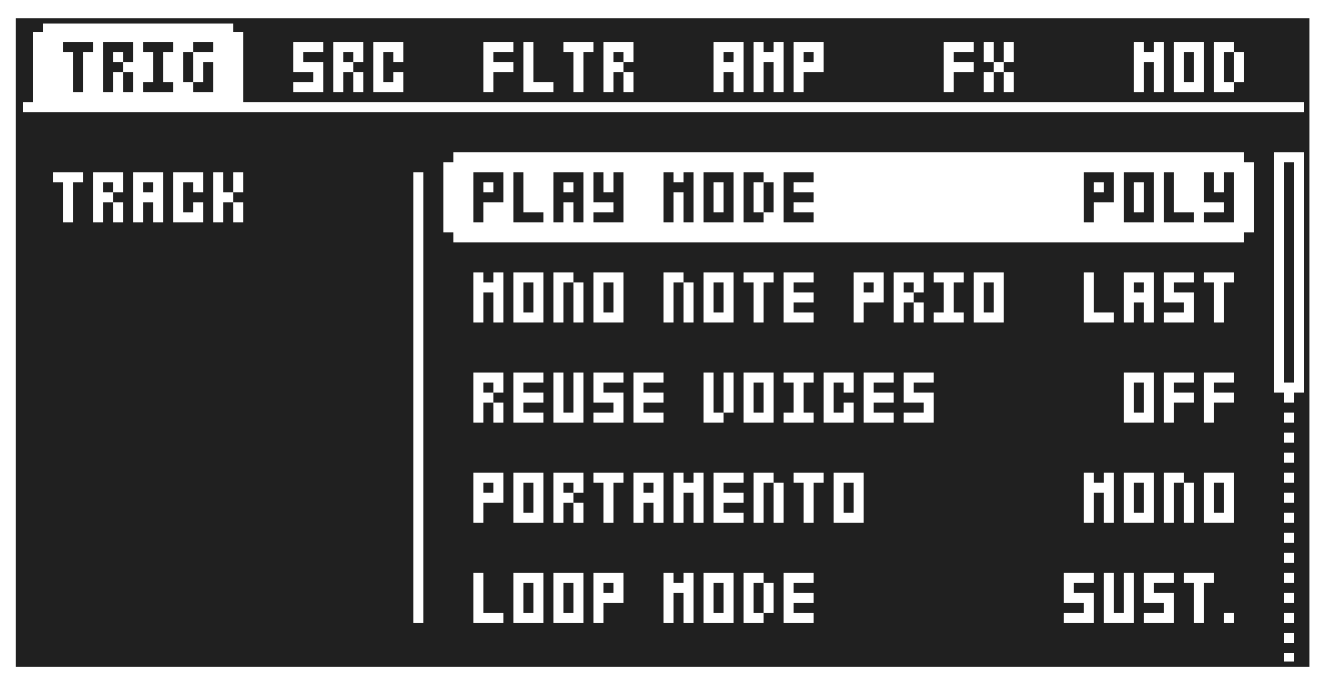
Here you can set several note and trig-related parameters. Press [FUNC] + [TRIG] to directly access this page. These settings are only available for audio tracks (Track 1–8).
11.1.1 PLAY MODE
Here, you can set whether a preset is polyphonic or monophonic and whether the LFOs for each voice are synced or not. This setting is not available for the Subtracks machine.
POLY The Sound is polyphonic, and the LFOs for each voice are running independently of each other.
POLY M.LFO In POLYPHONIC WITH MONO LFO mode, the preset is polyphonic, and the LFOs for each voice are synced together with the first voice LFO. The LFO of the first voice played determines the cycle of the LFOs, and the subsequently played voices’ LFOs are synced to this cycle. This makes the LFO behave like a single or monophonic LFO. This is useful, for example, if you want to use the LFO for a tremolo effect.
MONO The preset is monophonic, and the envelope is always triggered by each note on, or key press.
MONO LEG. In this mode, the preset is monophonic; however, the envelopes are not triggered by a subsequent note or key press if the first note is still held.
11.1.2 MONO NOTE PRIO
Here, you can set the note priority, i.e., which note is played if more than one note is played simultaneously. This setting is only available if PLAY MODE is set to MONO or MONO LEG. This setting is not availble for the Subtracks machine.
LAST gives priority to the last note played.
LOW gives priority to the lowest note played.
HIGH gives priority to the highest note played.
11.1.3 REUSE VOICES
Sets if the same note played twice should reuse the same voice, or cycle to use another free voice.
ON Reuses the same voice. Useful for staccato effects and drums.
OFF Cycles to use another voice. Suitable for piano-like sounds and pads.
11.1.4 CHOKE GROUPS
Here you can assign a Subtracks machine’s individual subtracks to one of two choke groups.
Choking is a sound design technique where one track cuts off the sound of one or more other tracks within the same choke group. Fist you assign which tracks should be in the choke group, then when a track within the group is triggered, all the other tracks in the same choke group receive a note-off message and are silenced immediately—their normal envelope release is skipped and replaced with a very short release.
ASSIGNING SUBTRACKS TO A CHOKE GROUP
- Assign a Subtracks machine to the active track.
- Press [FUNC] + [TRIG] to open the TRACK SETUP menu, and then select CHOKE GROUPS and press [YES].
- Press a [SUBTRACKS] key to assign that subtrack to choke group A (the key turns blue). Press it again to assign it to choke group B (the key turns red). Press it a third time to remove it from any choke group.
- Repeat this for each subtrack you want to include in a choke group.
- Press [NO] to exit the menu.
Press [YES] and then use the [SUBTRACKS] keys to play the subtrack’s sounds, press [YES] again to return to assigning the subtracks to choke groups.
11.1.5 PORTAMENTO
Sets the behavior of the portamento when enabled for the track. This setting is not available for the Subtracks machine and is only affecting the sound if PLAY MODE is set to MONO or MONO LEG. For more information, please see “12.3 TRIG PAGE 2” on page 56.
MONO Portamento affects all notes played
MONO LEG. Portamento only affects notes played legato.
11.1.6 LOOP MODE
Sets the behavior of the Single Player machine’s loop mode when PLAY MODE is set to FORWARD LOOP or REVERSE LOOP. This setting is not available for the Multi Player and Subtracks, and Grainer machines.
SUST. Sustain makes the sample loop for as long as the envelope is in the sustain phase. Once in the release phase, the sample plays to the end and then stops.
CONT. Continuous makes the sample loop through both the envelope’s sustain and release phases.
11.1.7 OCTAVE
Sets the base octave of the preset. It also makes preset locking more practical since you can control the octave setting on the preset and minimize the need to transpose the sequencer notes to make two or more presets work together. This setting is not availble for the Subtracks machine.
11.1.8 PITCH BEND DEPTH
Sets the amount of pitch bend data from external MIDI devices that affects Tonverk.
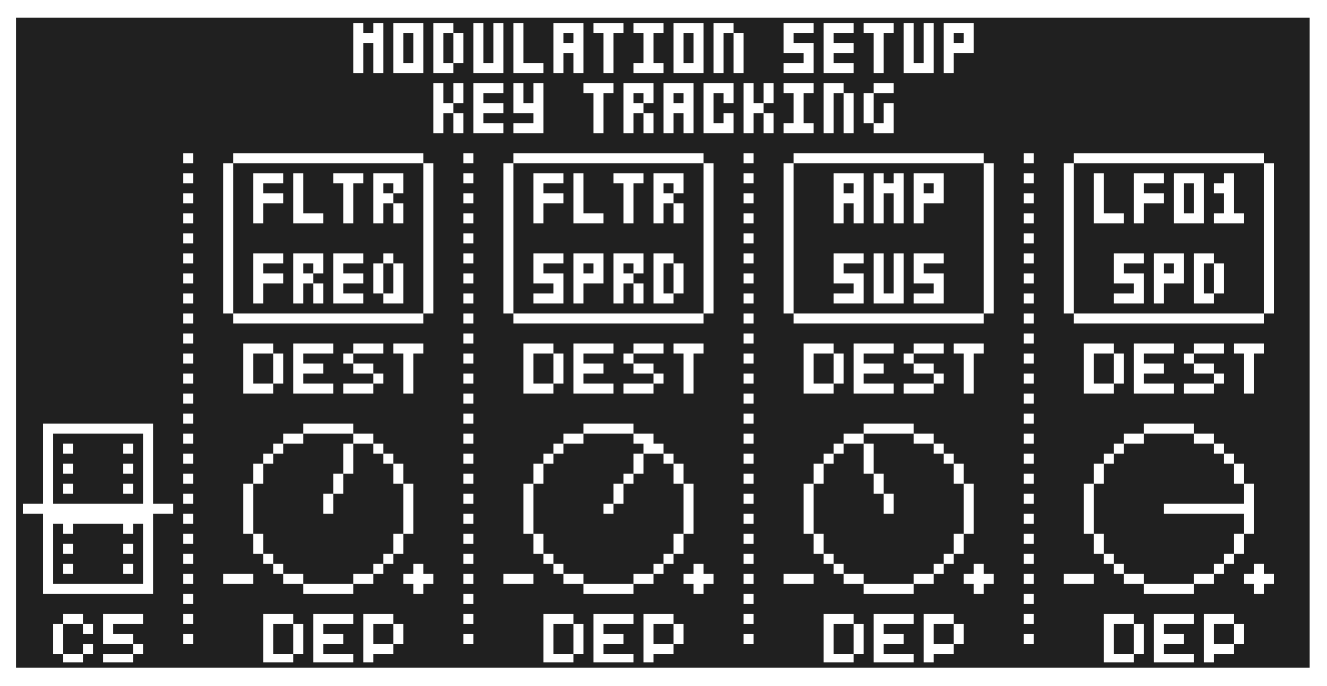
11.1.9 KEY TRACKING
Opens a menu where you can assign up to four parameters to the key tracking. Press [YES] to open the menu. Turn the DATA ENTRY knobs A–D to select the track parameters that you wish to assign. Press [YES] to confirm the selection. Then use DATA ENTRY knobs E–H to set the modulation depth of the four track parameters. The depth is an offset of the original track parameter value.
Turn LEVEL/DATA to test your settings.
For key tracking, all modulation is centered around middle C (C5). A positive modulation value increases the parameter value when you play above C5, and decreases it when you play below C5. A negative modulation value flips this behavior.
11.1.10 VELOCITY MOD
Opens a menu where you can assign up to four parameters to the velocity parameter. Both the VEL parameter on the TRIG PARAMETERS page and the velocity of incoming MIDI notes sent to the Tonverk from external devices affects the assigned parameters. Press [YES] to open the menu. Selecting parameters and setting modulation depth work in the same way as for KEY TRACKING.
11.1.11 PITCH BEND
Opens a menu where you can assign up to four parameters to the MIDI aftertouch command. Press [YES] to open the menu. Selecting parameters and setting modulation depth work in the same way as for KEY TRACKING.
11.1.12 AFTERTOUCH
Opens a menu where you can assign up to four parameters to the MIDI aftertouch command. Press [YES] to open the menu. Selecting parameters and setting modulation depth work in the same way as for KEY TRACKING.
11.1.13 MODULATION WHEEL
Opens a menu where you can assign up to four parameters to the MIDI mod wheel command (CC #1).
Press [YES] to open the menu. Selecting parameters and setting modulation depth work in the same way as for KEY TRACKING.
11.1.14 BREATH CONTROLLER
Opens a menu where you can assign up to four parameters to the MIDI breath controller command (CC #2). Press [YES] to open the menu. Selecting parameters and setting modulation depth work in the same way as for KEY TRACKING.
Press [FUNC] + [PLAY] to clear a modulation macro page’s settings