9.4 ARPEGGIATOR MENU
9. PATTERNS, PRESETS, AND INSTRUMENTS > 9.4 ARPEGGIATOR MENU · PDF 第 36–38 · OS 1.4.1
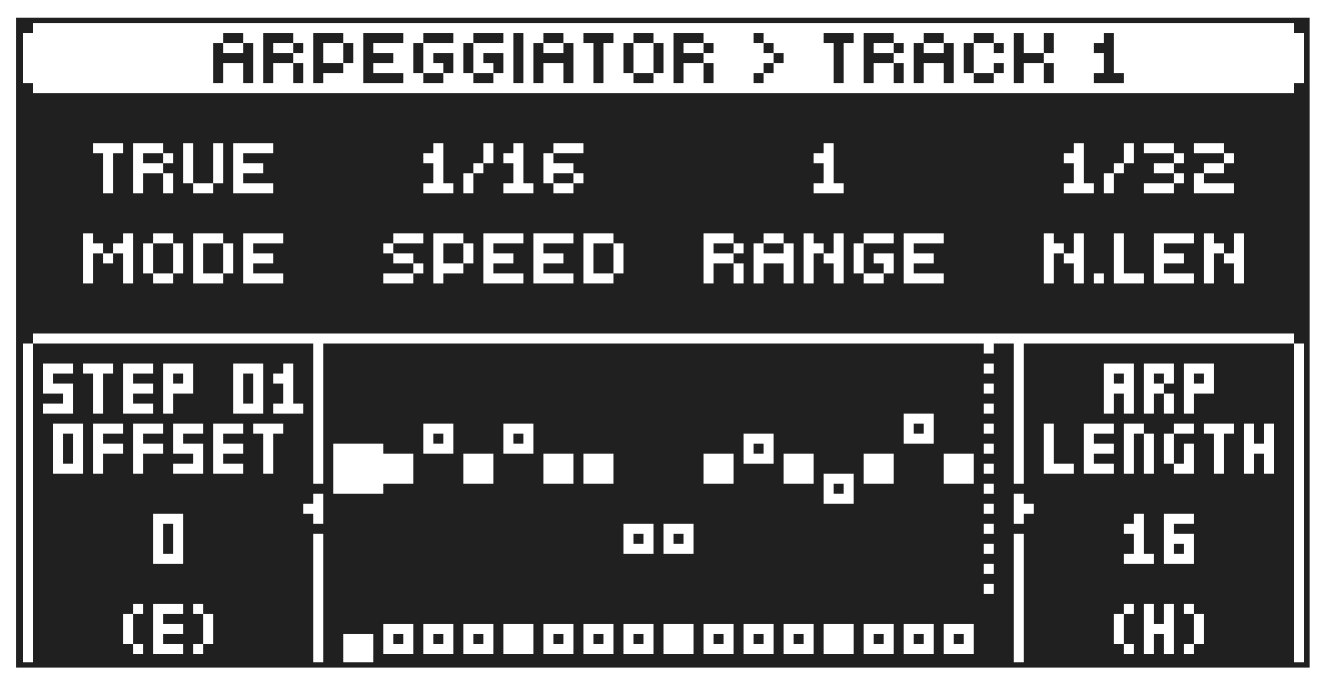
The ARPEGGIATOR menu contains the settings for the preset’s arpeggiator. These settings are part of the preset and are saved together with it. Press [ARP] to open the ARPEGGIATOR menu. Press [TRIG 1–16] to select the track whose arpeggiator you want to edit. Press [FUNC] + [ARP] to toggle the ARPEGGIATOR on and off. The [ARP] key will be illuminated cyan when the arpeggiator is active for the selected track, while not in the ARPEGGIATOR menu. Press [ARP] or [NO] to exit the ARPEGGIATOR menu.
9.4.1 MODE
Activates the arpeggiator and controls how the arpeggiated notes are sorted.
OFF deactivates the arpeggiator.
TRUE plays the notes in the same order as they are inserted.
UP plays the notes in ascending order, from the lowest note to the highest, on a per octave basis.
DOWN plays the notes in descending order, from the highest note to the lowest, on a per octave basis.
CYCLE plays the notes first in ascending order, then in descending order.
RAND randomizes the playback of the notes.
9.4.2 SPEED
Speed sets the speed of the arpeggiator. It is synchronized to the BPM of the project.
9.4.3 RANGE
Range sets the octave range of the arpeggiator. After each completed arpeggiator cycle, the arpeggiated notes are transposed one octave up. When the notes have reached the octave offset specified by the RANGE setting the notes are reset to their initial values. From there, the octave transpose is started all over again.
9.4.4 N.LEN
Note Length controls the length of the arpeggiated notes.
9.4.5 OFFSET
Offset selects the offset (note) value of the chosen arpeggiator step in semitones. The offset is from the original note trig.
- Press [LEFT] or [RIGHT] to select which arpeggiator step to offset.
- Use DATA ENTRY knob E to set the offset. You can also press and hold the [TRIG] keys while turning Encoder E to offset multiple arpeggiator steps at once.
- Press [DOWN] to mute an arpeggiator step. Press [UP] to unmute an arpeggiator step that has been muted. You can also use the [TRIG] keys to mute or unmute individual arpeggiator steps.
A green-lit key means the step will play, while an unlit key means the step is muted.
9.4.6 ARP LENGTH
Turn DATA ENTRY knob H to select the length of the arpeggio. The max length is 16 sequencer steps.
- You can use [FUNC] + [LEFT]/[RIGHT] to rotate the arpeggiator sequence.
- The arpeggiator’s parameter settings can be live recorded and parameter locked.
There are a number of shortcuts you can use to randomize the sequencer settings when in the ARPEGGIATOR menu.