13.4 FX PAGE 1 (TRACK ROUTING)
13. BUS TRACK PARAMETERS > 13.4 FX PAGE 1 (TRACK ROUTING) · PDF 第 65 · OS 1.4.1
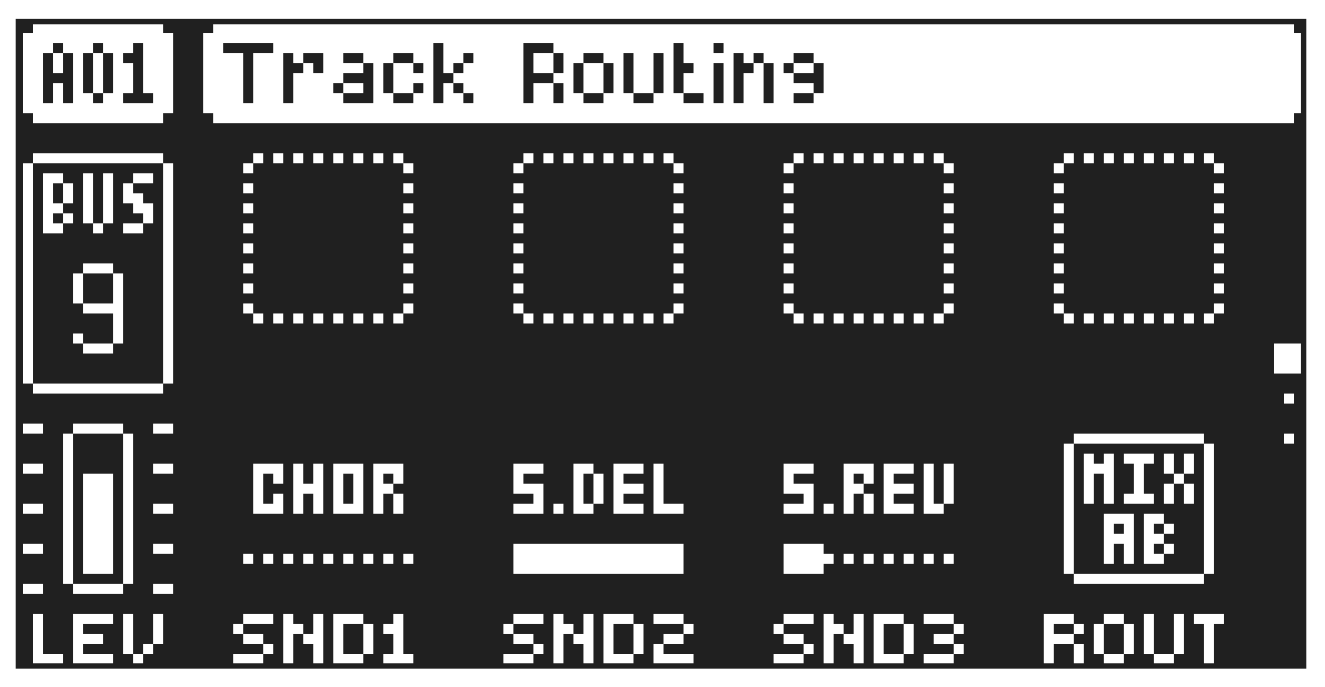
The FX parameter page 1 contains parameters that set the routing of the track and the send levels from the track to the Send FX.
SND1–3
Send 1–3 sets the amount of sound sent through to Send FX 1–3. For more information, please see “14. SEND FX TRACK PARAMETERS” on page 67.
ROUT
Routing selects where to route the audio from the selected track’s Bus. This parameter mirrors the setting in the ROUTING menu. The routing switches for this parameter are shown with “B” in the sound architecture illustrations For more information, please see “4. TONVERK SOUND ARCHITECTURE” on page 17 and “4.4 THE ROUTING MENU” on page 17.
- MIX AB is the default setting and routes the audio to the MIXER and then through the Main FX to the A/B outputs and the Headphones.
- OUT CD routes the audio directly to the C/D outputs.
- OUT EF routes the audio directly to the E/F (HEADPHONES) outputs.