11.6 FLTR PAGE 2
11. TRACK PARAMETERS > 11.6 FLTR PAGE 2 · PDF p. 55–56 · OS 1.17
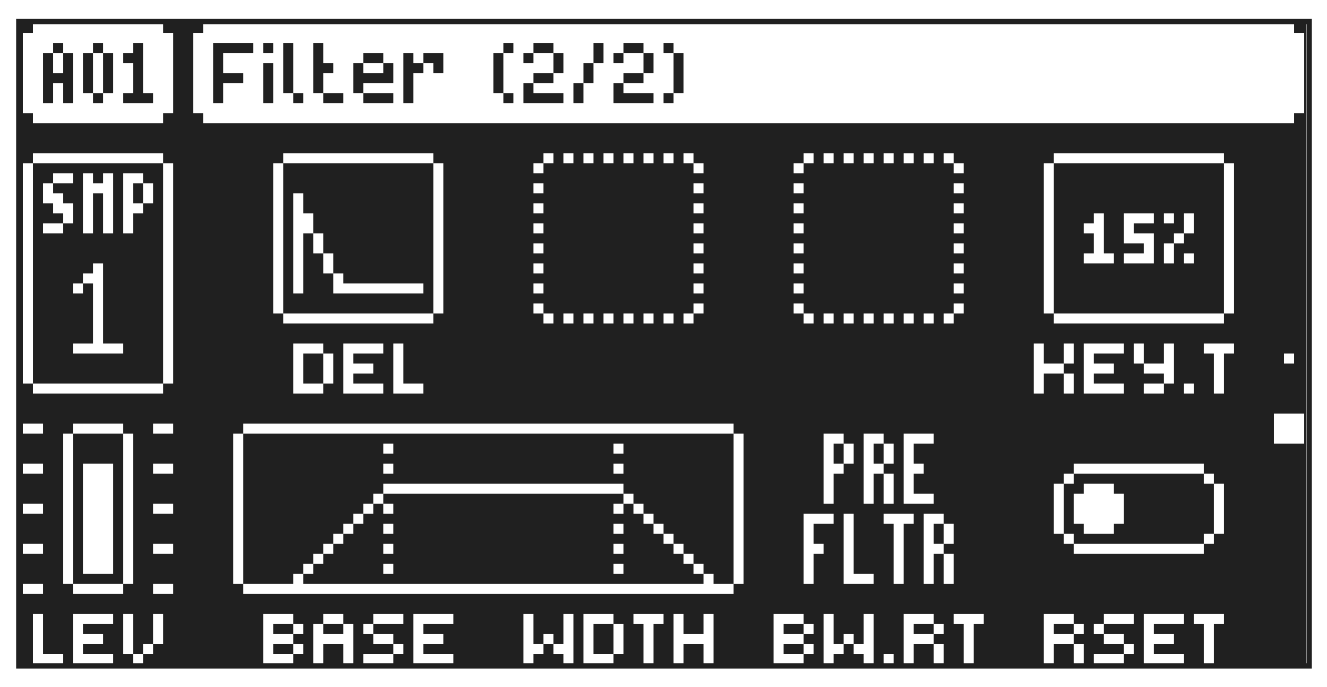
On FILTER page 2, you will find the parameters that control the base-width filter and the envelope delay parameter.
The base-width filter is basically a Highpass filter and a Lowpass filter connected in series. The filters BASE and WIDTH parameters define the base-width filters frequency range.
Examples of how the BASE and WIDTH parameters affect the filter frequency range:
FREQUENCY
AMPLITUDE
Base Width FREQUENCY
AMPLITUDE
Base Width FREQUENCY
AMPLITUDE
Base Width
- With BASE set to 0, the filter functions as a low pass filter with WIDTH adjusting the frequency range.
- With WIDTH set to 127, the filter functions as a high pass filter with BASE adjusting the frequency range.
- With BASE set to 0 and WIDTH set to 127 the filter does not affect the sound.
DEL
Envelope delay sets the time before the attack phase of the filter envelope starts. This parameter is part of the filter envelope that controls the multimode filter. You can also press and hold [FUNC] and then turn DATA ENTRY knob A to quickly access this parameter from FILTER page 1.
KEY.T
Keytrack sets how much the filter cutoff frequency is affected by what note is playing. The higher the KEY.T setting, the more the filter opens up at higher notes.
BASE
Sets the base frequency of the filter.
WIDTH
Sets the frequency width above the base frequency.
BW.RT
BW Routing selects if the base-width filter should be routed before (Pre) or after (Post) the machine selectable filter in the audio path.
RSET
Filter Envelope reset sets the filter envelope behavior:
ON resets the envelope for each consecutive trig (default).
OFF does not reset the envelopes for each consecutive trig.