15.1 DIGITONE II WITH A MONOPHONIC BASS MACHINE
15. SETUP EXAMPLES > 15.1 DIGITONE II WITH A MONOPHONIC BASS MACHINE · PDF p. 82 · OS 1.12
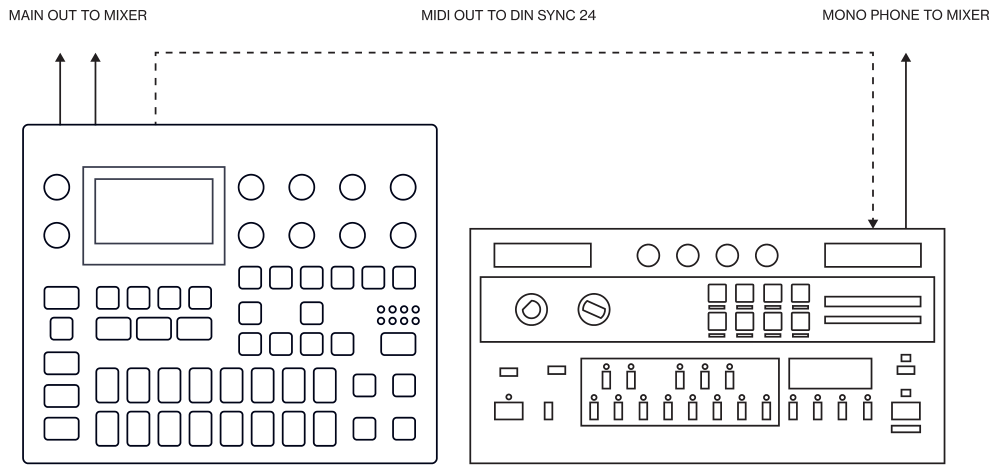
The DIN sync capabilities of the Digitone II allows you to use gear from yesteryear.
In this example, a legacy monophonic bass machine is used alongside the Digitone II. The Digitone II can stop, start and control the tempo of the bass machine.
- Prepare a bassline pattern on the bass machine.
- Connect the output of the bass machine to the mixer using a Mono jack 6.3 mm male cable.
- Connect the Digitone II audio outputs to the mixer using 2 x Mono or Stereo jack 6.3 mm male cables.
- Use a DIN connector cable to connect the MIDI OUT of the Digitone II to the SYNC IN of the bass machine.
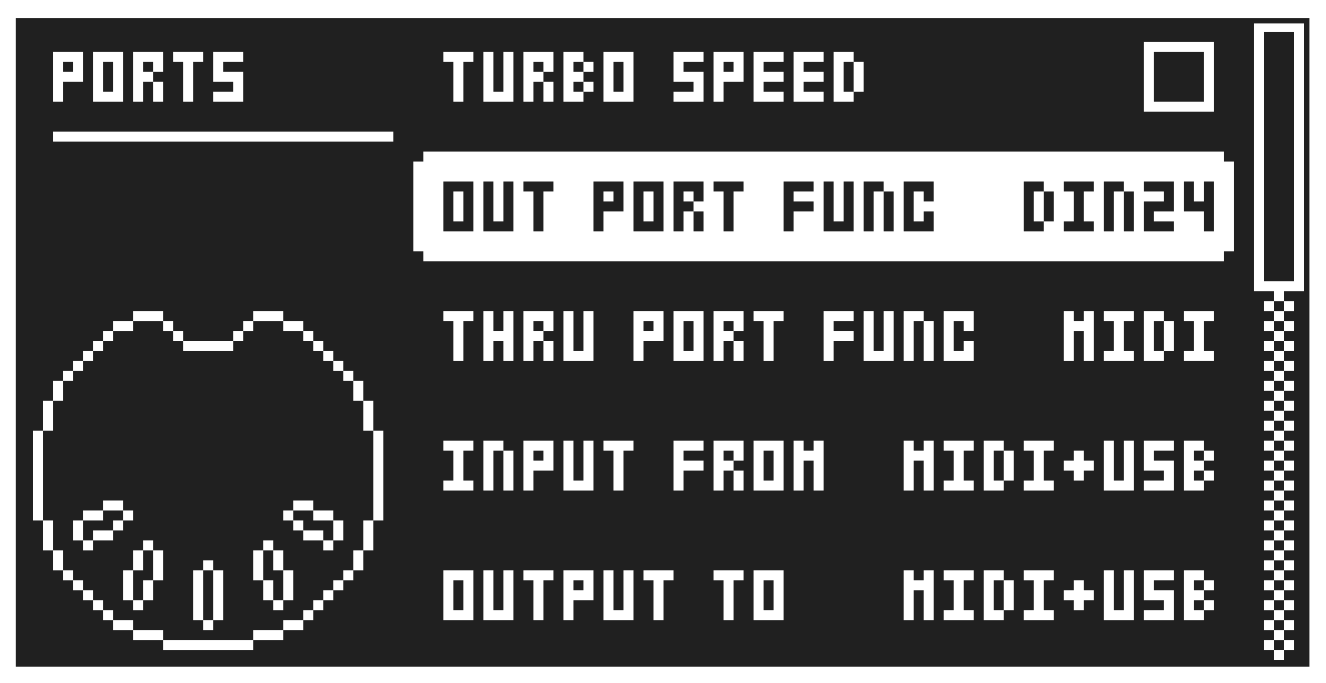
- On the Digitone II, press [SETTINGS], and then navigate to MIDI CONFIG > PORT CONFIG and set OUT PORT CONFIG to DIN24.
- Press [PLAY] on the Digitone II.