13.6 AUDIO ROUTING
13. SETTINGS MENU > 13.6 AUDIO ROUTING · PDF 第 77–78 · OS 1.12
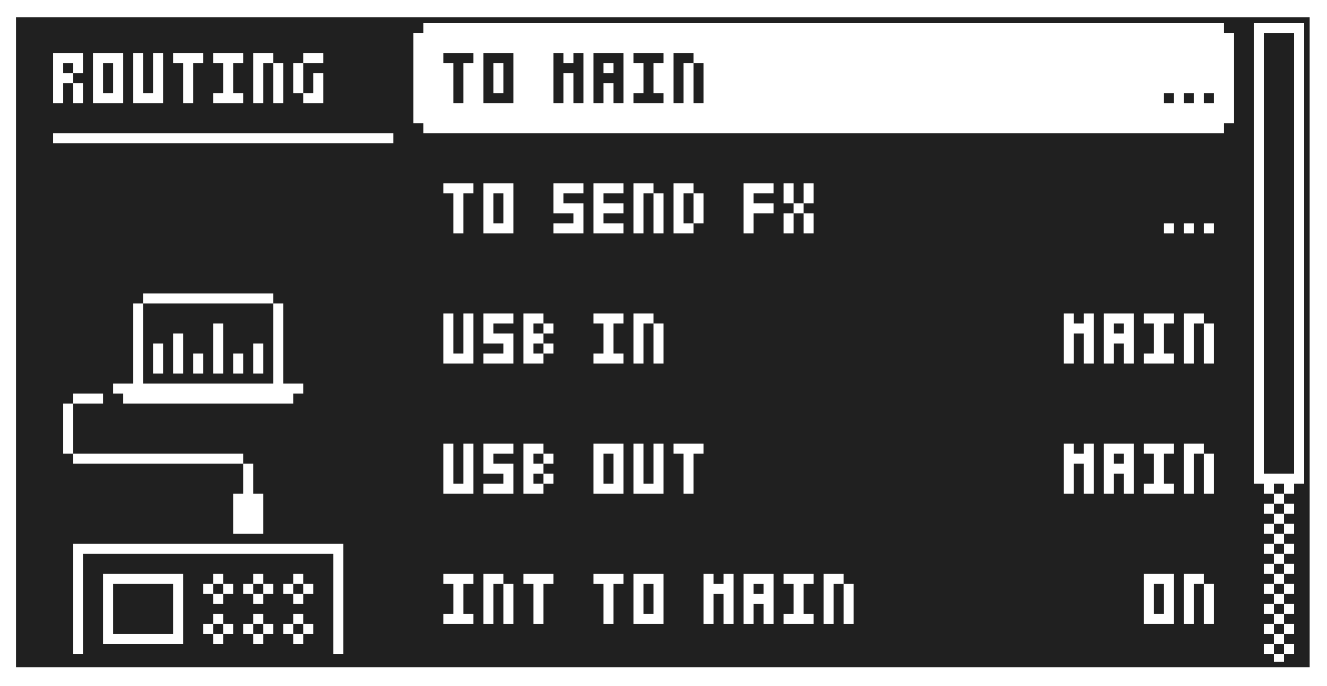
Here you find number of audio routing options that affects the Digitone II on a global level.
13.6.1 TO MAIN
Use this option to customize which of the 16 tracks, 3 effects (Delay, Reverb, Chorus), and inputs that will send audio to the MAIN OUT outputs. Press [YES] then use [UP]/[DOWN] to switch between the setup pages. Use the [TRIG] keys to activate/deactivate the tracks, effects, and inputs that can send to main. Green keys signal send to main. Unlit keys signal do not send to main.
13.6.2 TO SEND FX
Use this option to customize which of the 16 tracks, 2 effects (Delay, Chorus), and inputs that will send audio to the effects. Press [YES] then use [UP]/[DOWN] to switch between the setup pages. Use the [TRIG] keys to activate/deactivate the tracks, effects, and inputs that can send to FX. Green keys signal send to FX. Unlit keys signal do not send to FX.
13.6.3 USB IN
Sets where the incoming audio from the class compliant device is routed to in the Digitone II’s signal path. This parameter is only available when USB CONFIG is set to USB AUDIO/MIDI. For more information, please see “13.8.1 USB CONFIG” on page 80.
MAIN The incoming audio is routed to the Digitone II’s main outputs.
OFF No sound is routed from USB to the Digitone II.
13.6.4 USB OUT
Sets from where in the Digitone II’s signal path, the outgoing audio is routed to the class compliant device. This parameter is only available when USB CONFIG is set to USB AUDIO/MIDI. For more information, please see “13.8.1 USB CONFIG” on page 80.
MAIN The outgoing audio is routed from the Digitone II’s Main out at the end of the signal path.
L:T1–16/R:T1–16 The outgoing audio is routed from the selected track(s) Press a [TRIG] key twice to select a single track as a stereo source. The selected track’s [TRIG] key lights up white.
Press first one [TRIG] key and then another to select two separate tracks as sources. The selected tracks’ [TRIG] keys lights up blue for left channel and red for right channel. The audio from each track is then summed to mono, routed out and sent separately on left and right channel.
EXT The outgoing audio is routed straight from the Digitone II’s audio inputs IN L/R to the class compliant device.
OFF No audio is sent to the class compliant device.
13.6.5 INT TO MAIN
Sets if Digitone II sends internal audio to the MAIN OUT and HEADPHONES OUT or not when used with a class compliant audio device.
OFF No sound is sent to main out.
ON Sound is always sent to main out.
AUTO When USB audio streaming is active, no sound is sent to the main output. When USB audio streaming is inactive, sound is sent to the main output.
13.6.6 USB TO MAIN [dB]
Sets the amount of amplification of the sound that is streamed over USB to the Digitone II main out when used with a class compliant audio device. (0 dB–+18 dB)
13.6.7 PRE/POST FADER
Sets if audio over USB should be pre or post the track level setting.
Audio from the TRACK OUTPUTS is always without any effects.