10.7 AMP PAGE 1
10. AUDIO TRACK PARAMETERS > 10.7 AMP PAGE 1 · PDF 第 53–55 · OS 1.42
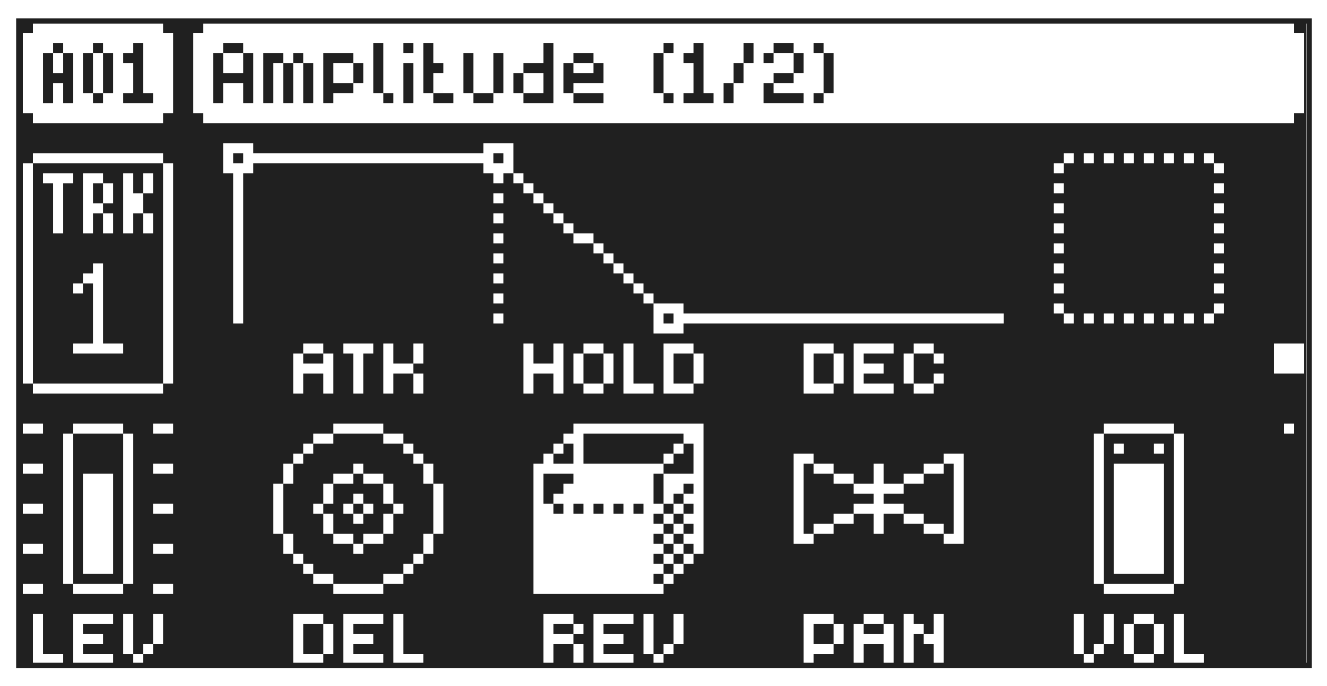
The AMP page controls parameters for the amplitude envelope, effects sends, panning and volume.
Press [AMP] to access this parameter page.
10.7.1 ATK
Attack Time sets the length of the attack phase of the amp envelope.
10.7.2 HOLD
Hold Time sets the length of the hold phase of the amp envelope. Fixed Hold time values (0–126) specify the length of the hold phase, and the envelope ignores Note Off events such as Trig Length, releasing a [TRIG] key or a key on an external controller. Setting HOLD to NOTE means the hold phase will be determined by Note On and Note Off events. For more information, please see “10.2 TRIG PARAMETERS PAGE 1” on page 50.
If you set HOLD to NOTE and use an external keyboard to trigger the envelope, then the sound will be sustained for as long as you press a key on the keyboard.
10.7.3 DEC
Decay Time sets the length of the decay phase of the amp envelope. The decay time can be set to infinite.
10.7.4 SUS
Sustain Level sets the sustain level of the amp envelope. This parameter is only available if MODE on AMP Page 2 is set to ADSR.
10.7.5 REL
Release Time sets the length of the release phase of the amp envelope. This parameter is only available if MODE on AMP Page 2 is set to ADSR.
10.7.6 DEL
Delay Send sets the amount of the sound that is sent through to the Delay effect. For more information, please see “13.2 DELAY” on page 68.
10.7.7 REV
Reverb Send sets the amount of the sound that is sent through to the Reverb effect. For more information, please see “13.3 REVERB” on page 69.
10.7.8 PAN
Pan positions the sound in the stereo field. The knob function is bipolar with 0 being the balanced midpoint, L64 sends all sound to the left channel and R63 sends all sound to the right.
10.7.9 VOL
Volume sets the volume amount of the amplifier. Unlike the track LEVEL, this parameter can be parameter locked. Amplitude envelope with MODE set to AHD and a fixed HOLD time.
TIME
AMPLITUDE
Note On
Attack Decay Hold Note Off
Attack Decay Hold Note On
Note Off
Attack Decay Hold Note On Note Off
Amplitude envelope with MODE set to AHD and HOLD set to NOTE.
TIME
AMPLITUDE
Note On
Attack Decay Hold Note Off
Attack Decay Hold Note On Note Off
Attack/ Hold Decay Note On
Note Off
Amplitude envelope with MODE set to ADSR.
‘
TIME
AMPLITUDE
Note On
Attack Decay Sustain Note Off
Release