12.2 TRIG PARAMETERS PAGE
12. FX TRACK PARAMETERS > 12.2 TRIG PARAMETERS PAGE · PDF 第 62 · OS 1.42
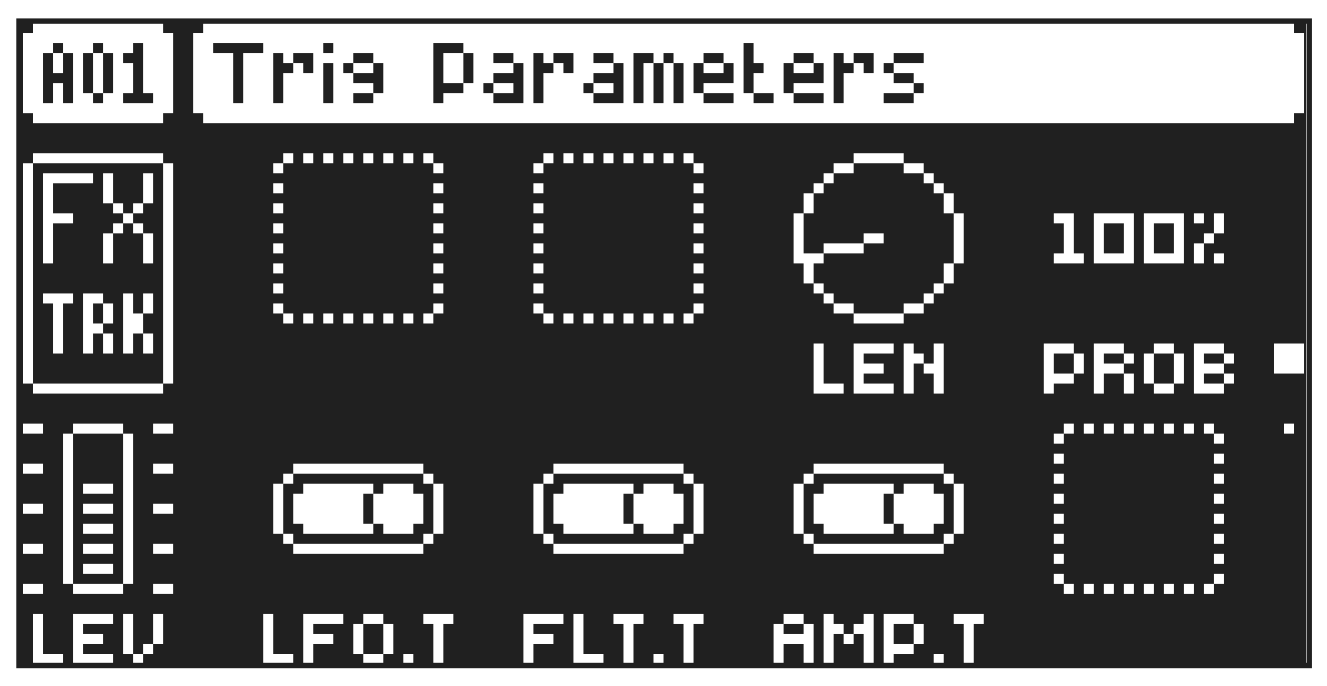
Set the actions for what a trig on the FX does. These general settings affect trigs placed in the sequencer. Use the DATA ENTRY knobs to change the settings.
Press [TRIG PARAMETERS] to access this parameter page.
12.2.1 LEN
Trig Length sets the length of the trig. In LIVE RECORDING mode, the duration of pressing the [TRIG] keys overrides this general setting.
12.2.2 PROB
Trig Probability sets the probability that the trigs on the track plays or not. The probability outcome is re-evaluated every time a trig plays. The default setting is 100%, meaning that all the trigs on the track plays every time.
This parameter changes temporarily to display and control COND (Trig Condition) when you add a conditional lock. COND sets the Trig Condition with which a set of conditional rules can be applied to any trig, using a parameter lock. For more information, please see “9.10.3 TRIG CONDITIONS AND CONDITIONAL LOCKS” on page 44. If you have placed a conditional lock on a trig in the sequencer, the trig condition overrides the Trig Probability setting. For example, if you set PROB to 70% and a FILL trig condition on a trig, that trig will only (and always) play when the Syntakt is in FILL mode.
12.2.3 LFO.T
LFO Trig controls if the LFO will be trigged or not.
12.2.4 FLT.T
Filter Trig controls if the filter envelope will be trigged or not.
12.2.5 AMP.T
Amplifier Trig controls if the FX tracks amplifier envelope will be trigged or not.