12.5 FLTR PAGE 2
12. FX TRACK PARAMETERS > 12.5 FLTR PAGE 2 · PDF 第 64 · OS 1.42
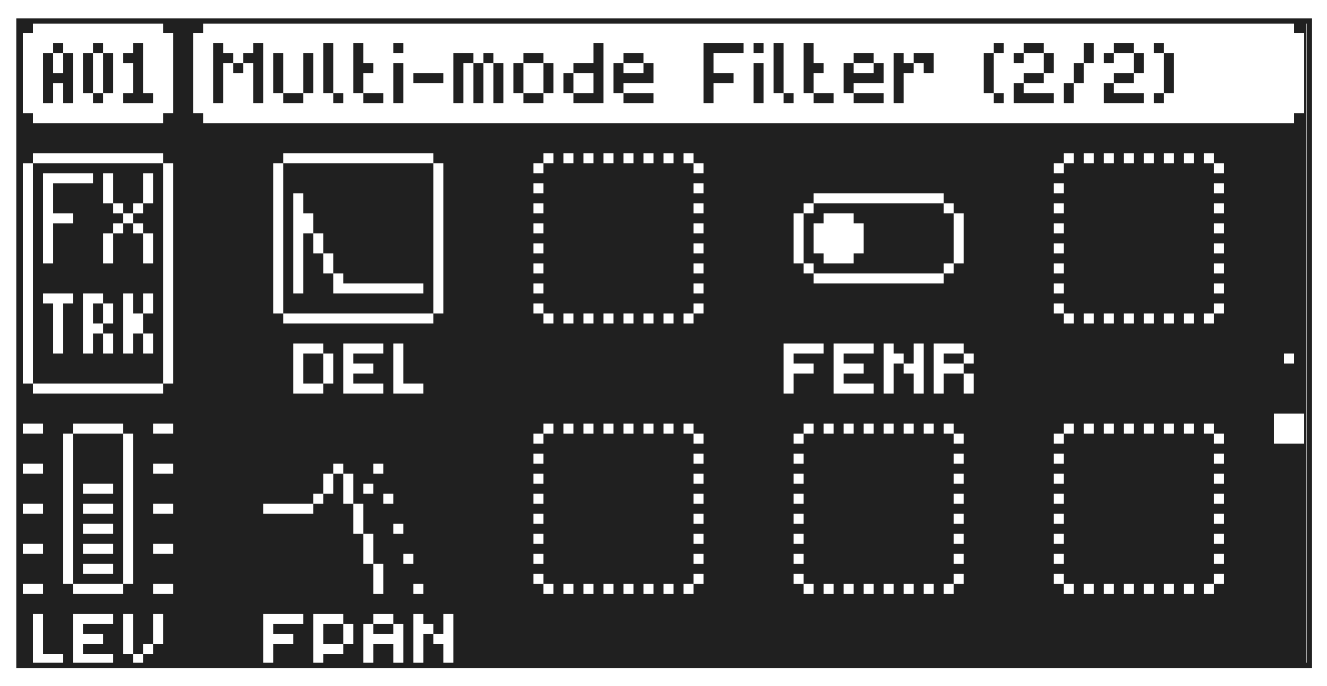
On FILTER page 2, you will find the parameters that control the envelope delay parameter. Press [FLTR] twice to access this parameter page.
12.5.1 DEL
Envelope delay sets the time before the attack phase of the filter envelope starts. This parameter is part of the filter envelope that controls the multimode filter. You can also press and hold [FUNC] and then turn DATA ENTRY knob A to quickly access this parameter from FILTER page 1.
12.5.2 FENR
FIlter envelope reset sets the filter envelope behavior:
ON resets the envelopes for each consecutive trig.
OFF does not reset the envelopes for each consecutive trig.
12.5.2 FPAN
Filter Pan adjusts the cutoff frequency of the filter and pans its behavior between the Left and Right channel. At a value of 0 there is no frequency panning effect. Lower values increase the cutoff frequency in the Left channel and decrease it in the Right channel. Higher values increase the cutoff frequency in the Right channel and decrease it in the Left channel.