16.1 THE SAMPLING MENU
16. SAMPLING > 16.1 THE SAMPLING MENU · PDF 第 72–73 · OS 1.4.1
勘误Four subsection headings carry the wrong number
“PER TRACK MODE” inside §10.9 PAGE SETUP MENU is printed as “9.9.2” (it is 10.9.2), and “R.STRT” inside §16.1 THE SAMPLING MENU is printed as “13.1.6” although it sits between 16.1.5 and 16.1.7 (it is 16.1.6); the table of contents repeats both typos. The OS 1.4.0 manual added “PRE/POST FADER” inside §17.3 AUDIO ROUTING printed as “14.3.5” (it is 17.3.5), and the OS 1.4.1 manual, which inserts §6.9 THE OUTBOX 8 and renumbers §6.10–6.13, leaves “TRANSFERRING BACKED UP DATA TO TONVERK” inside §6.11 BACKING UP TONVERK printed as “6.10.2” (it is 6.11.2; the table of contents repeats it). The 1.4.0 manual's “6.13.3 WAVETABLES” typo is no longer one: in 1.4.1 the Sample browser is §6.13. Section numbering elsewhere is unaffected.
判定依据:CLAUDE.md + §10.9
印刷版手册中已确认的错误。本项目记录矛盾之处,而不是隐藏它们——与所有引用原文的内容一样,下面的说明保持英文。
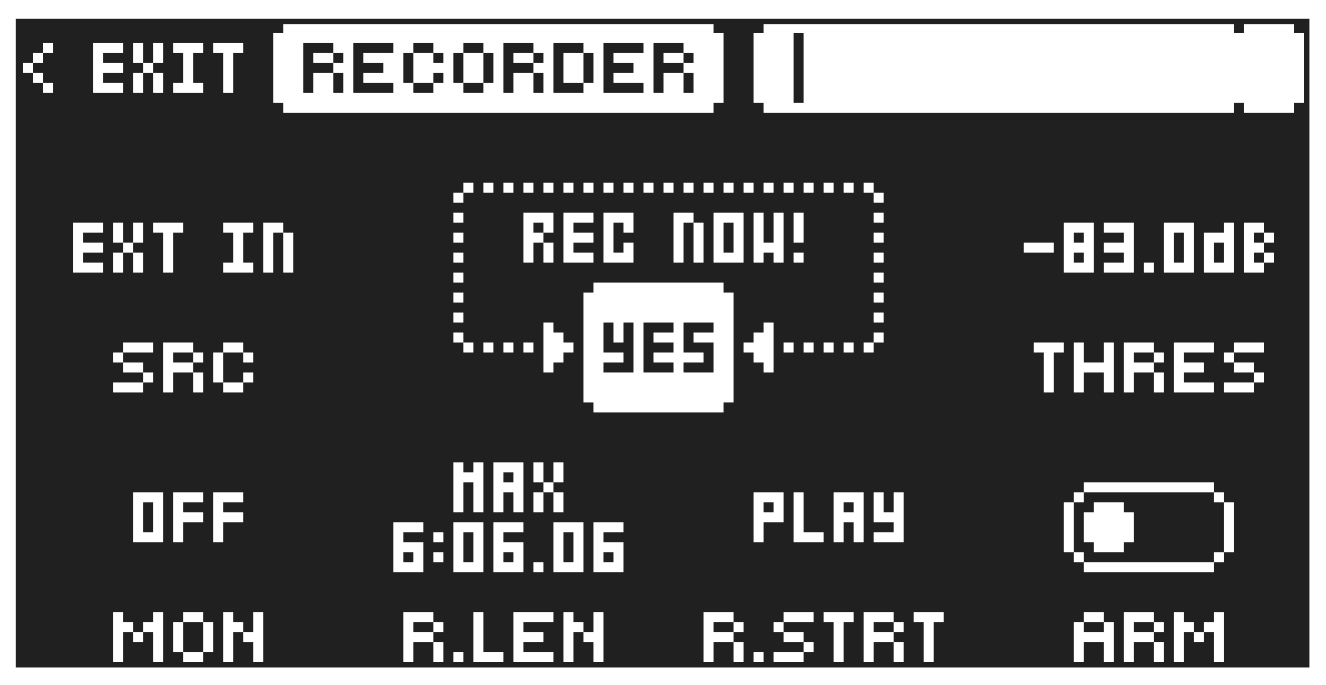
The SAMPLING menu within the Recorder provides settings that control various aspects of sampling. The maximum sampling time when using the SAMPLING menu is 6.06.06 minutes and this is always available even if a project’s RAM is fully utilized.
Press [SAMPLING] to enter the SAMPLING SELECT screen, and then use [UP]/[DOWN] to select RECORDER, and then press [YES] to access the SAMPLING menu.
16.1.1 REC NOW!
Press [YES] to start sampling. Press [YES] to stop sampling.
16.1.2 SRC
Source selects between different incoming audio sources to sample from.
- EXT IN A sets the input source to INPUT A.
- EXT IN B sets the input source to INPUT B.
- EXT IN sets the input source to INPUT A+B.
- MAIN sets the input source to Tonverk’s internal Mix track. the audio is sampled after the main FX.
- TRK.1–8 sets the input source to one of Tonverk’s internal tracks 1–8.
- BUS.1–4 sets the input source to one of Tonverk’s buses 1–4.
- USB IN L sets the input source to USB in L.
- USB IN R sets the input source to USB in R.
- USB IN sets the input source to USB L+R.
- SND.1–3 sets the input source to one of Tonverk’s Send FX tracks 1–3.
16.1.3 THRES
If you have armed the sampler, recording starts when the incoming audio exceeds this set threshold. Set it high enough to ignore background noise, but low enough to capture the full signal.
16.1.4 MON
Selects the option to monitor and set the level of the incoming audio through Tonverk or not.
16.1.5 R.LEN
Record Length sets the length of the sampling. With a setting of 1/16–16/1, the sampling length is decided by the time it takes the sequencer to advance a set number of steps at the current BPM. For example, the settings 1/16, 1/8, 1/2, 1/1, and 16/1 correspond to sampling durations of 1 sequencer step, 2 steps, 8 steps, 16 steps, and 256 steps, respectively. With the MAX setting, sampling continues until the maximum sampling time is reached or until you press [YES] to stop sampling.
13.1.6 R.STRT
Record Start lets you set if the recorder will start sampling when you press [PLAY] or when the level of the audio source exceeds the threshold level set by THRES and with ARM set to ON
16.1.7 ARM
Press [YES] to arm the sampler. The sampler is now in arm mode, and it will start sampling when the incoming audio exceeds the threshold level. Press [SAMPLING] + [NO] to cancel.