14.3 PATTERN MENU
14. SETTINGS MENU > 14.3 PATTERN MENU · PDF 第 76–77 · OS 1.17
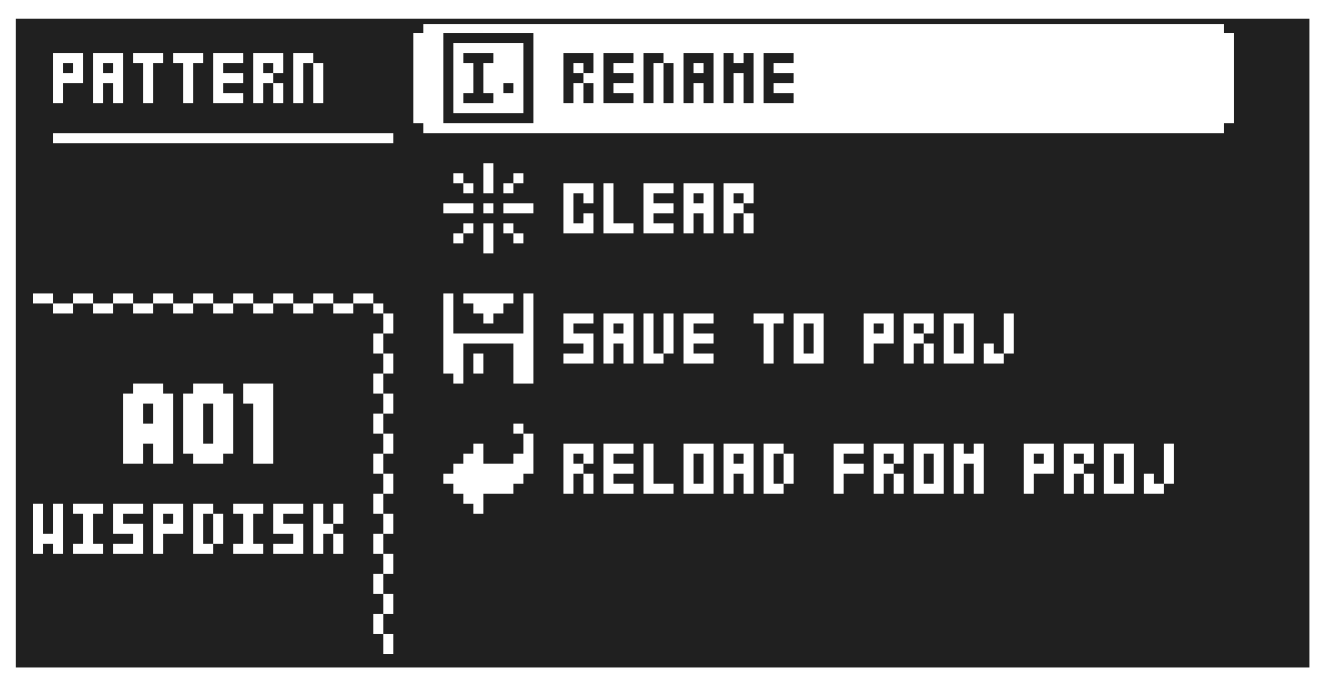
Use the PATTERN menu to perform pattern management. Use the [UP] and [DOWN] arrow keys to move between the options. Press [YES] to confirm your selection. Press [NO] to exit the menu.
14.3.1 RENAME
Opens the NAMING screen where you can rename the active pattern.
14.3.2 CLEAR
- WHOLE PATTERN Clears the active pattern’s sequencer data and kit. A prompt appears when you select this option. Press [YES] to clear, or [NO] to cancel the operation. Note that no pattern information will be permanently lost until the pattern is saved to the same pattern slot that it was loaded from.
- KIT DATA Clears the active pattern’s kit. All sequencer data will remain unchanged. A prompt appears when you select this option. Press [YES] to clear, or [NO] to cancel the operation. Note that no kit information will be permanently lost until the pattern is saved to the same pattern slot that it was loaded from.
- SEQUENCE DATA Clears the active pattern’s sequence data. All presets will remain unchanged. A prompt appears when you select this option. Press [YES] to clear, or [NO] to cancel the operation.
Note that no sequencer information are permanently lost until the pattern is saved to the same pattern slot it was loaded from.
14.3.3 SAVE TO PROJ
You must have saved the project at least once before you can save pattern information.
- WHOLE PATTERN Saves the active pattern’s sequence data and kit to the +Drive. A prompt appears when you select this option. Press [YES] to save, or [NO] to cancel the operation.
- KIT DATA Saves the active pattern’s kit to the +Drive. A prompt appears when you select this option. Press [YES] to save, or [NO] to cancel the operation.
- SEQUENCE DATA Saves the active pattern’s sequence data to the +Drive. A prompt appears when you select this option. Press [YES] to save, or [NO] to cancel the operation.
14.3.4 RELOAD FROM PROJ
You must have saved the pattern at least once before you can reload pattern information.
- WHOLE PATTERN Reloads the active pattern’s sequence data and kit from the +Drive. A prompt will appear when you select this option. Press [YES] to reload, or [NO] to cancel the operation.
- KIT DATA Reloads the active pattern’s kit from the +Drive. A prompt appears when you select this option. Press [YES] to reload, or [NO] to cancel the operation.
- SEQUENCE DATA Reloads the active pattern’s all sequence data from the +Drive. A prompt appears when you select this option. Press [YES] to reload, or [NO] to cancel the operation.