13.2 DELAY
13. DELAY, REVERB AND MIXER PARAMETERS > 13.2 DELAY · PDF 第 68–69 · OS 1.42
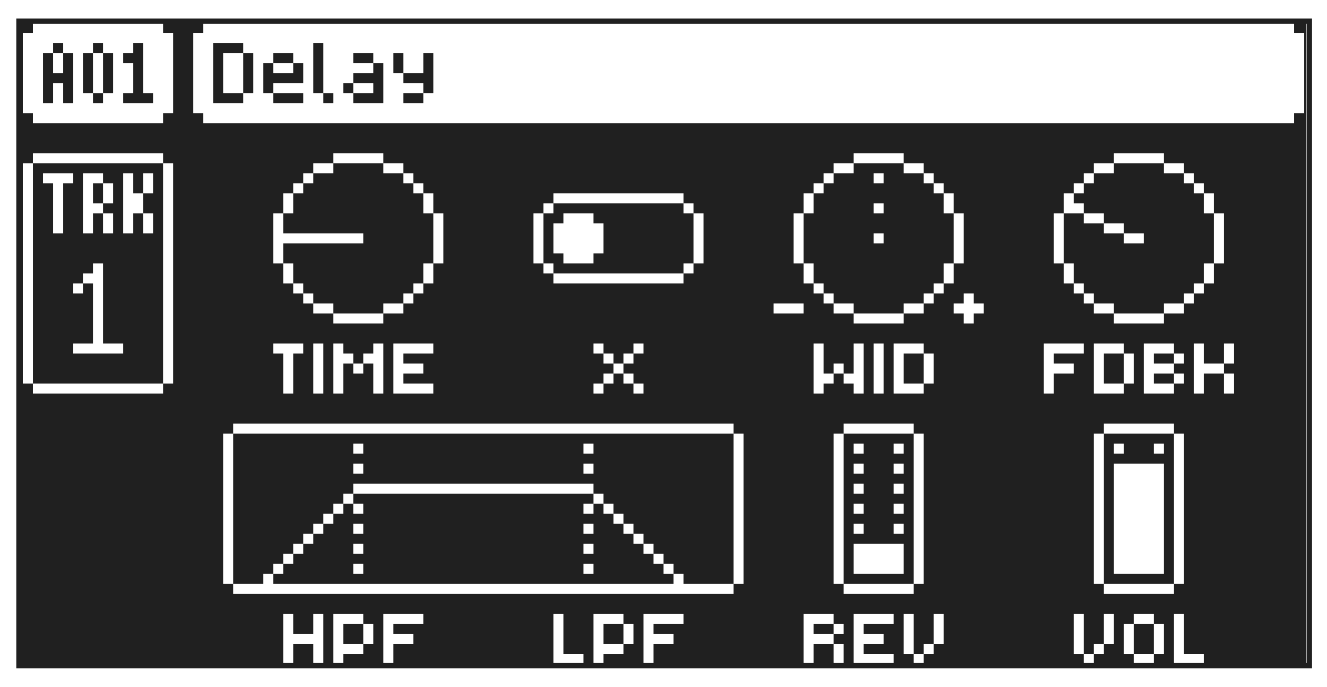
The Delay send effect takes the input signal, delays it in time and then rejoins it with the original signal. Press [FUNC] + [FLTR] to access this parameter page.
13.2.1 TIME
Delay Time sets the delay time. It is relative to the current BPM and is measured in 128th notes.
TIME setting
Divide ratio
1/128
1/64
2.67
1/48 (1/32T)
1/64.
1/32
5.33
1/24 (1/16T)
1/32.
1/16
10.67
1/12 (1/8T)
1/16.
1/8
21.33
1/6 (1/4T)
1/8.
1/4
42.67
1/3 (1/2T)
1/4.
1/2
1/2.
13.2.2 X
Ping-pong sets the delay signal to alternate across the stereo field. There are two settings:
- OFF lets you manually set the position of the delay signal in the stereo field. Use the WID parameter to change the stereo field position.
- ON makes the delay signal alternate between left and right pan positions. The WID parameter controls the amount of panning.
13.2.3 WID
Stereo Width sets the delay signal pan width across the stereo field. The parameter is bipolar.
13.2.4 FDBK
Feedback Gain sets the amount of delay output signal to feed back into the input of the delay. With higher parameter settings, infinite and/or swelling delays are possible. Please be aware that high feedback can lead to a very loud signal.
13.2.5 HPF
Feedback HPF sets the cutoff frequency of the delay highpass filter.
13.2.6 LPF
Feedback LPF sets the cutoff frequency of the delay lowpass filter.
13.2.7 REV
Reverb Send sets the amount of Delay output signal to be sent to the Reverb.
13.2.8 VOL
Mix Volume adjusts the volume of the Delay output signal.
The parameters on the DELAY parameter page can be controlled by the sequencer using the FX Track. For more information, please see “6.3.3 THE FX TRACK” on page 21. and “12.
FX TRACK PARAMETERS” on page 62.