13.3 REVERB
13. DELAY, REVERB AND MIXER PARAMETERS > 13.3 REVERB · PDF 第 69–70 · OS 1.42
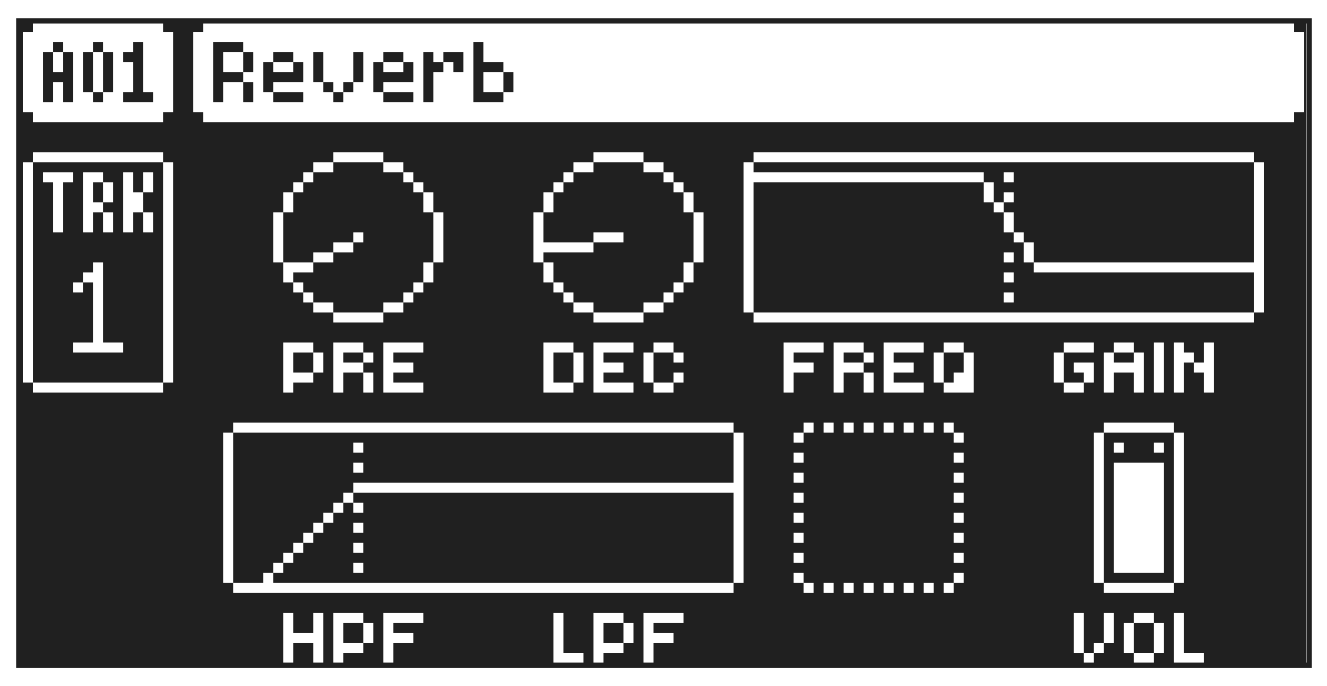
The Reverb send effect controls the persistence, and ambient characteristics, of the sound reverberations. It can simulate many different sonic locations, from huge spaces to small rooms.
Press [FUNC] + [AMP] to access this parameter page.
13.3.1 PRE
Pre-delay sets the pre-delay time of the Reverb.
13.3.2 DEC
Decay Time sets the length of the decay of the reverberated signal. The decay time can be set to infinite.
13.3.3 FREQ
FB Shelving Freq sets the shelving filter frequency. Together with the GAIN parameter, it can be used to dampen the reverberated signal above a chosen frequency, making the reverberation sound more prominent or more muffled.
13.3.4 GAIN
FB Shelving Gain affects the damping of the reverberated signal above the shelving frequency set by the FREQ parameter. At max value the treble is included in the reverberations; lowering the value dampens it.
13.3.5 HPF
HPF sets the cutoff frequency of the reverb high-pass filter that affects the audio going in to the reverb.
13.3.6 LPF
LPF sets the cutoff frequency of the reverb low-pass filter that affects the audio going in to the reverb.
13.3.7 VOL
Mix Volume sets the volume of the Reverb output signal.
The parameters on the REVERB parameter page can be controlled by the sequencer using the FX Track. For more information, please see “6.3.3 THE FX TRACK” on page 21. and “12. FX TRACK PARAMETERS” on page 62.